Copy trade
Follow any wallet and trade the same tokens from yours, with per-copy P&L and a live feed.
Copy trade follows another wallet: when it buys or sells a token, Thor trades the same token from your wallet. Copy trades run on Thor's servers and keep going when Telegram is closed.
Where to find it
- Mini App: Account → Orders and automation → Copy trade.
- Bot:
© CopyTrade.
How to copy a wallet
- Tap New copy trade and paste the Wallet to copy. Only use wallets you trust. Add a Name if you like.
- Choose Pay from: the wallet that spends.
- Choose When they buy and the amount.
- Under Only copy coins with, set market cap, liquidity and Buys per coin, at most.
- Tap Create copy trade.
 Thor Trading Bot
 1234
- Paste. Pastes the address from your clipboard.
- A share. Copies a share of what they spend.
- Never more than. The most you spend on one copied buy.
- Create copy trade. Starts the copy.
Each copy buys the full amount or not at all. A buy that does not fit your balance is skipped.
When they buy options:
- Fixed (Fixed buy): every copied buy uses the same amount.
- Same as them (Max buy): spends what they spend, up to your limit.
- A share (Fixed ratio): a share of what they spend, up to your limit.
When they sell options:
- Copy sells: sells the same number of tokens they sell, up to what you hold.
- Auto sell: ignores their sells and sells at take-profit, stop-loss or trailing targets you set for this copy trade (Add target, up to 10).
- No sell: only copies buys. You sell yourself.
Also set the network cost (Priority fee or Gas), Auto slippage or a fixed slippage, and anti-MEV on Ethereum. Coins I already hold off skips tokens you already own.
Follow your copy trades
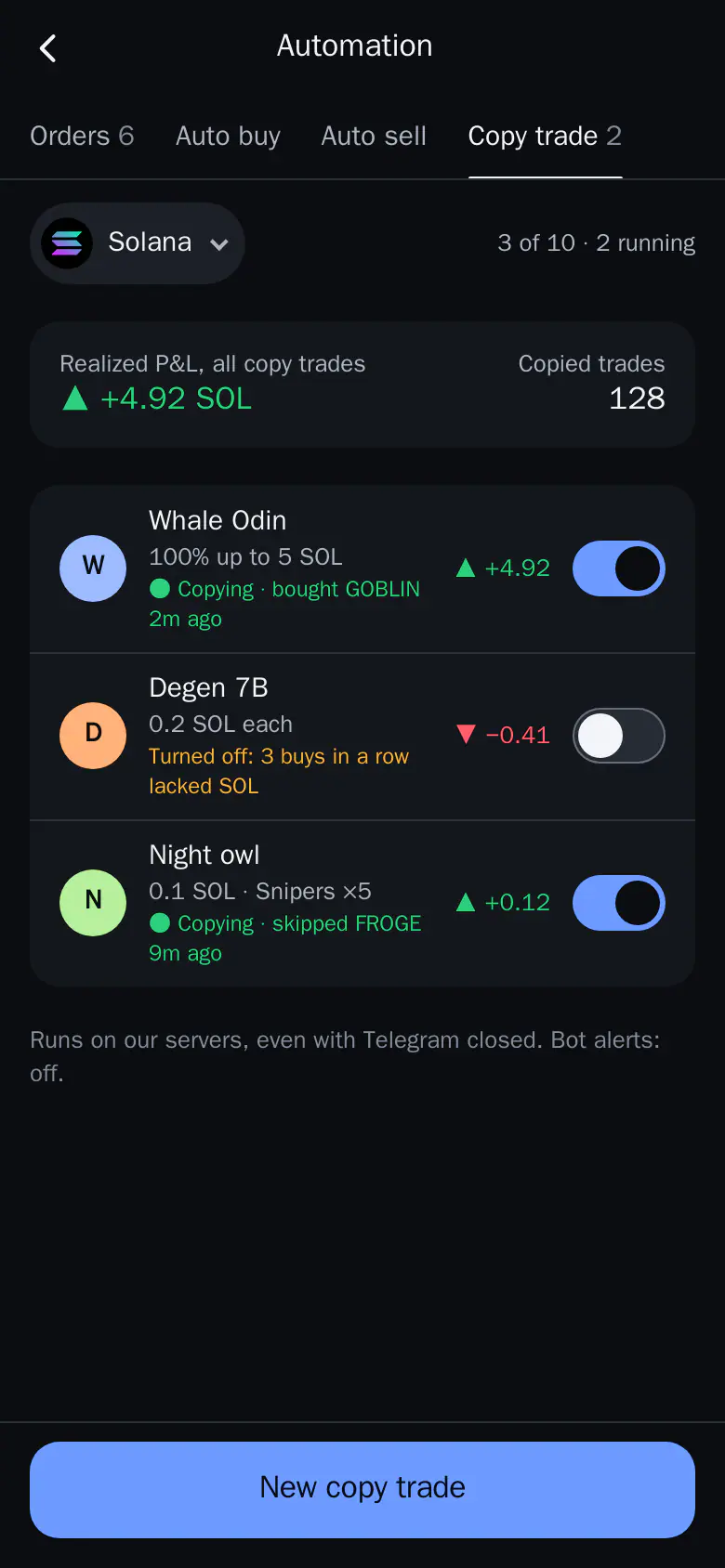
- Each card shows Copying, Paused or Turned off, its settings and its P&L.
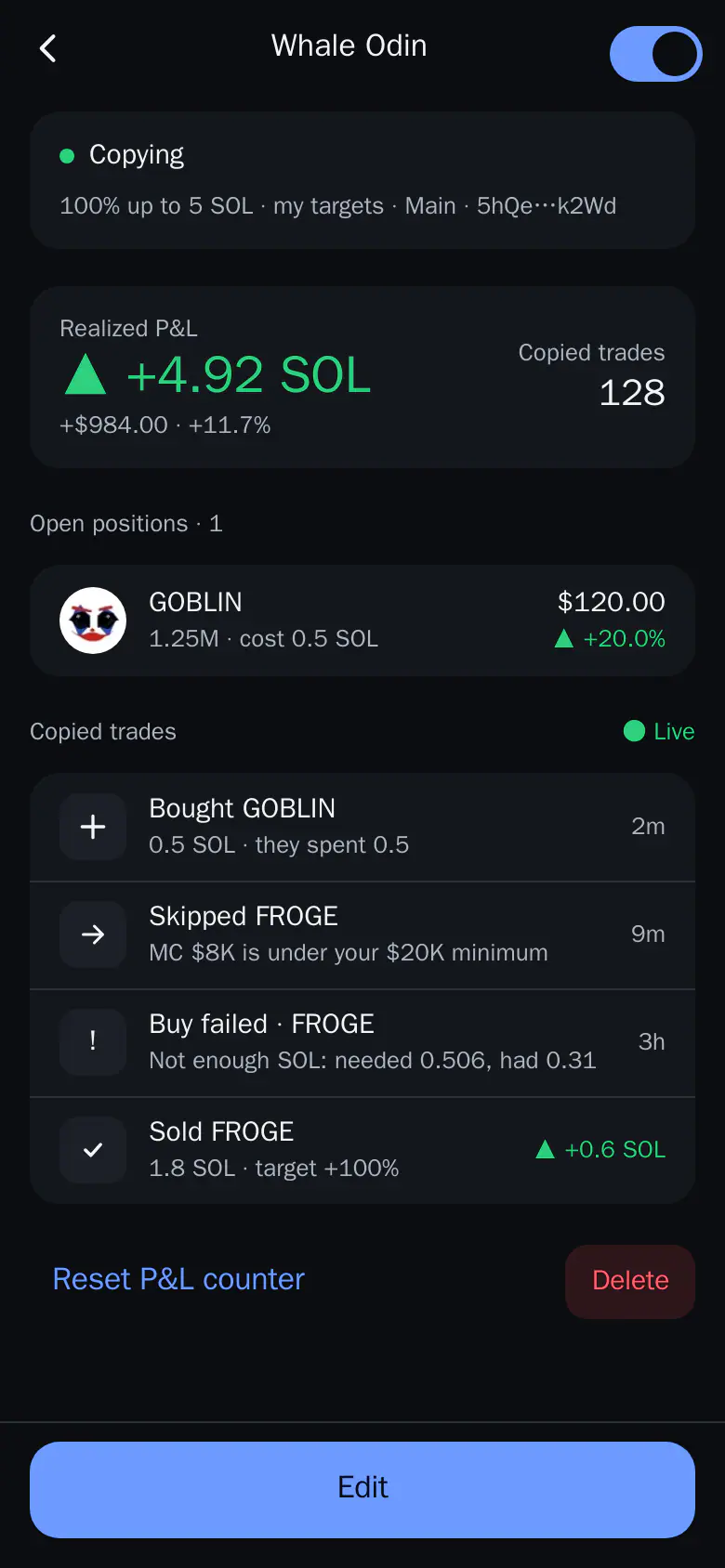
- Open one for status, Open positions with live P&L, Realized P&L, and Copied trades: a live feed of Bought, Sold, Skipped and Failed, each with a reason and a link to the transaction. Reset P&L counter starts the count again.
- Each copied trade also arrives as a bot message, and shows in Activity.
Why a trade was skipped
- Filters and limits: "Max buys per token reached", "You already hold this token", "Nothing to sell: you don't hold this token", or a market cap or liquidity outside your range.
- Token safety: "No healthy way to sell this token", "Flagged as a honeypot", "Buy and sell tax too high".
- Wallet and network: "Not enough" of the coin, "No wallet on this chain", "The transaction didn't go through".
Copying safely
- Use a separate wallet, or USD Cash, per copy trade so its P&L and risk stay apart.
- Start with Fixed at a small amount.
- Prefer Auto sell with your own targets over Copy sells if the wallet exits late.
- Set a min liquidity, a max market cap and Buys per coin, at most to 1 or 2. Turn Coins I already hold off.
- Keep Auto slippage on.
- Check the feed, and review Realized P&L weekly.
Limits
- Up to 10 copy trades per chain.
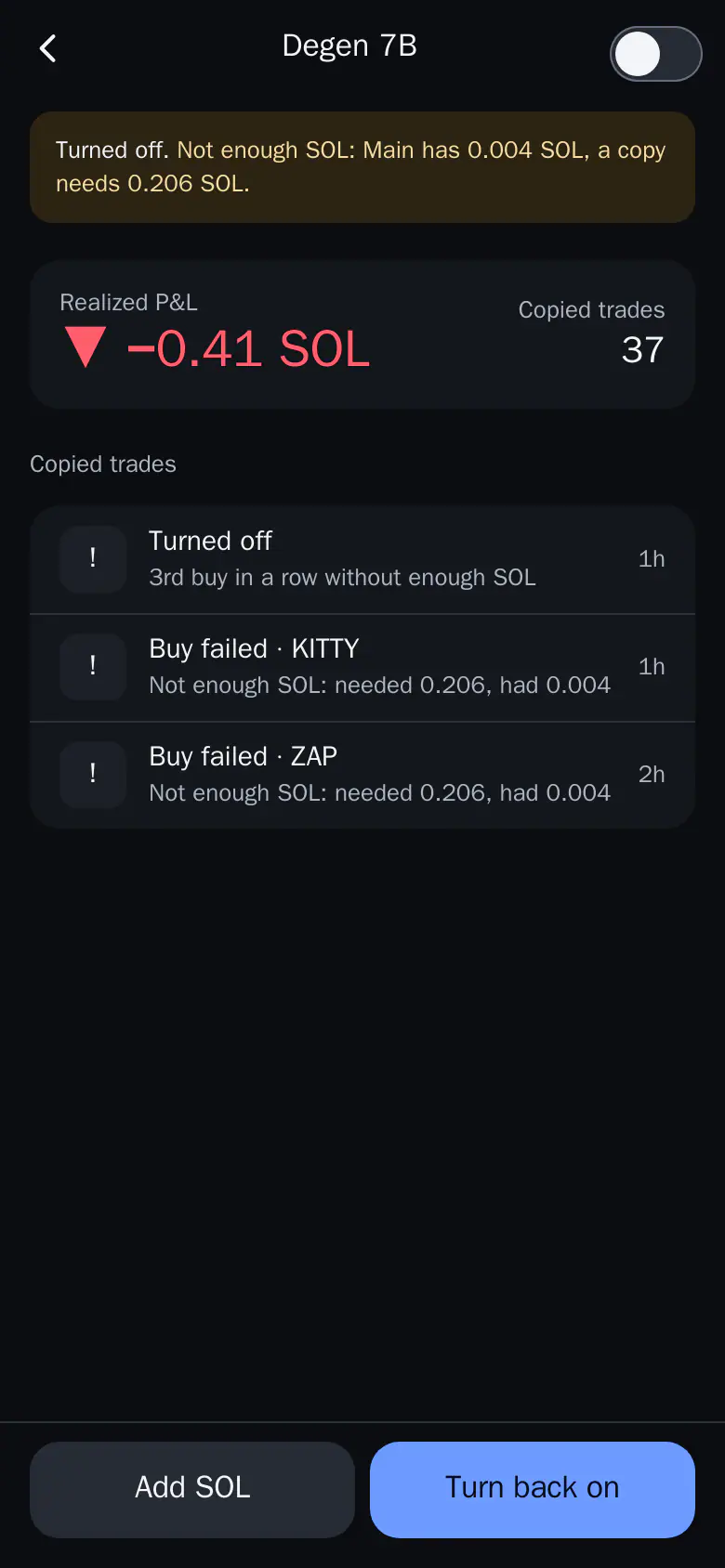
- A copy trade turns off after 3 buys fail for lack of funds. Tap Add SOL (or the coin it needs), then Turn back on.
- You can't copy your own wallet, or the same address twice.
- Market-cap ranges set in the bot win over the copy's targets when one matches.
Note: You won't get exactly the same prices or results as the wallet you copy.