Perps: get started
Go long or short with leverage on Hyperliquid, inside Telegram.
How do you trade perps in Telegram? Open the Perps tab. Perps let you go long (price up) or short (price down) with leverage, without holding the coin. Trades run on Hyperliquid. Thor is not your counterparty.
Perps sit next to spot trading and Predict in the same Telegram app, with the same account and wallets.
Note: Perps are in the Mini App only, and they are hidden in restricted countries. In a restricted region you can still close positions, cancel orders and withdraw.
Set up once
- Open the Perps tab.
- Read the risks.
- Choose your country of residence and confirm you are not in a restricted region.
- Tap Agree and continue.
- Add funds. See Add funds to Perps.
Your Perps account belongs to your own Thor wallet.
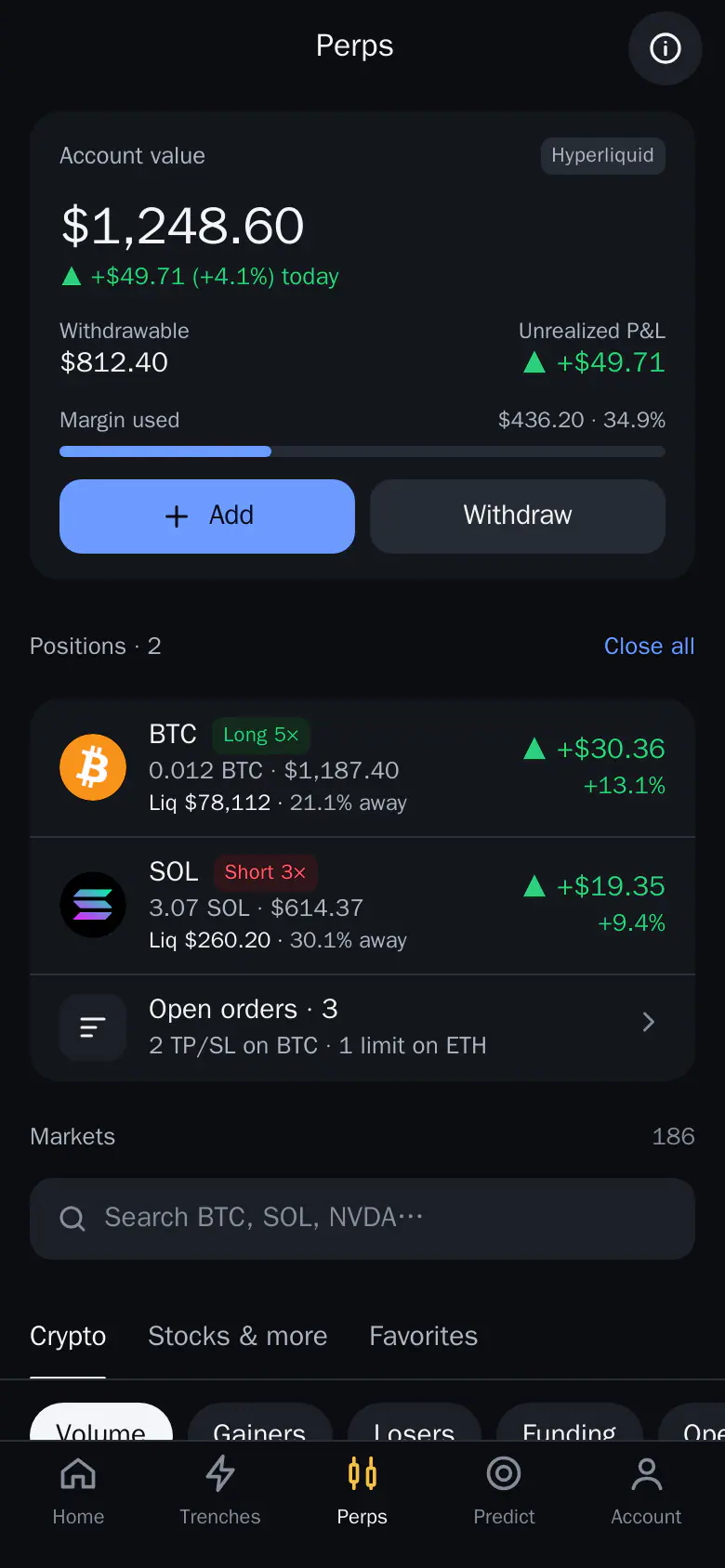
The Perps home
- Your account value, what you can withdraw, unrealized P&L and margin used, with Add and Withdraw.
- Each position, with its liquidation price and how far away it is. Close all closes every position: hold to confirm.
- Markets below: search, the Crypto, Stocks & more and Favorites tabs, sorted by volume, movers, funding or open interest.
Open a market to see a short header with the mark price and the 24 h move, then the chart and the order Book. See Open a perps trade.
Fills, take profit and stop loss hits and liquidation warnings also arrive as bot messages.
Fees
Thor charges 0.05% per order, on top of Hyperliquid's own fees. TWAP orders carry no Thor fee. Both fees show before you place the order. Deposits and withdrawals show their network cost before you send.
Warning: Leverage multiplies gains and losses. If the price reaches your liquidation price, the position is closed and you lose its margin.
Note: Perps trades do not earn cashback or referral rewards.