Portfolio and positions
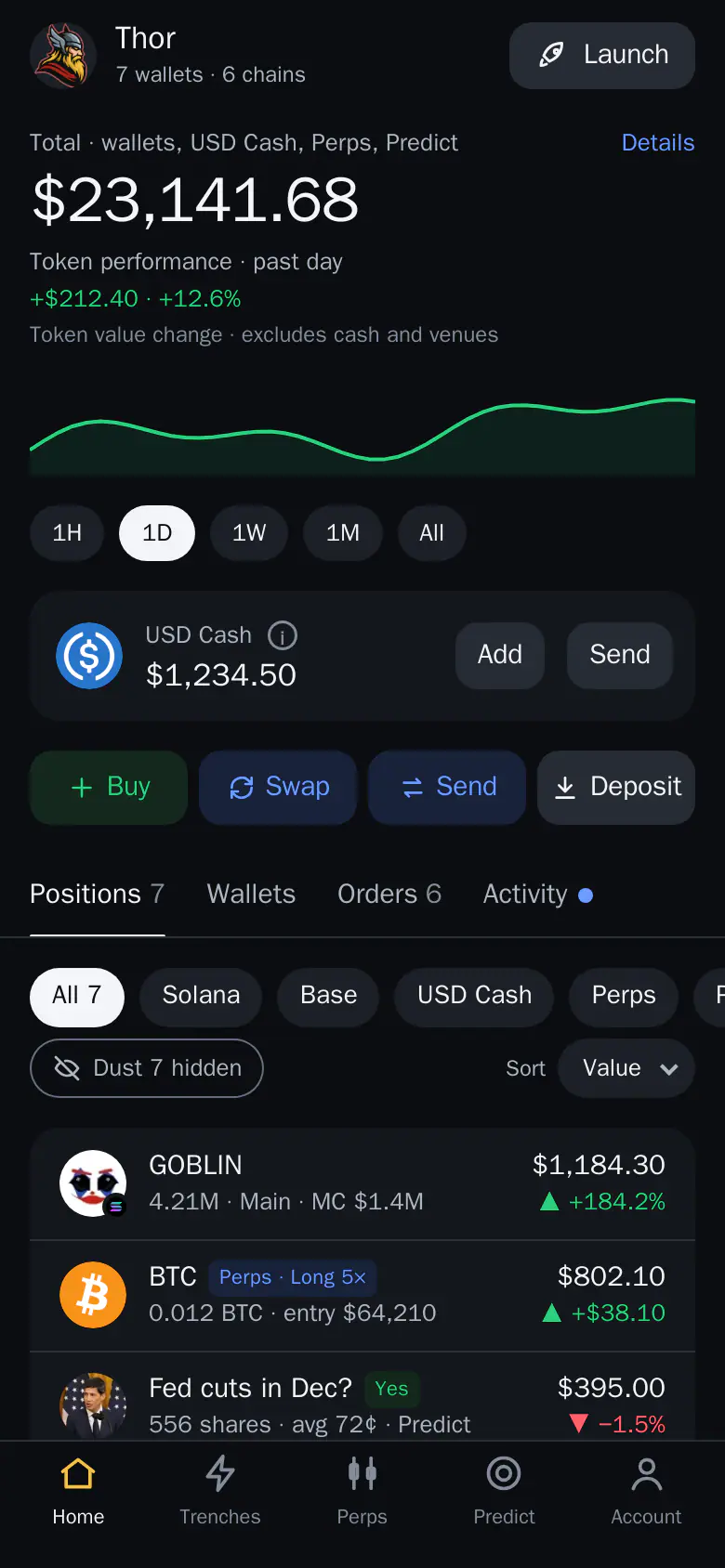
See every coin you hold, with P&L, across all wallets and chains, in Home > Positions.
Your portfolio lives in Home → Positions. It lists every coin you hold, plus your Perps and Predict positions, across all wallets and chains, with the value and the change on each.
Where to find it
- Mini App: Home tab, then Positions. The old Portfolio tab is gone.
- Bot:
🏦 Positions. Positions are paged and show P&L in SOL, $ and %, with[Sell],[Buy],[PNL CARD]and[ HIDE ]buttons. Live PnL is a message that keeps updating with your total and every position. Tap Stop Live PnL to end it.
How to use it
- Use the chips to show All or one chain or venue: Solana, Base, USD Cash, Perps, Predict and so on.
- Sort by Value, MC or Recent.
- Tap a row to open its coin sheet and your position.
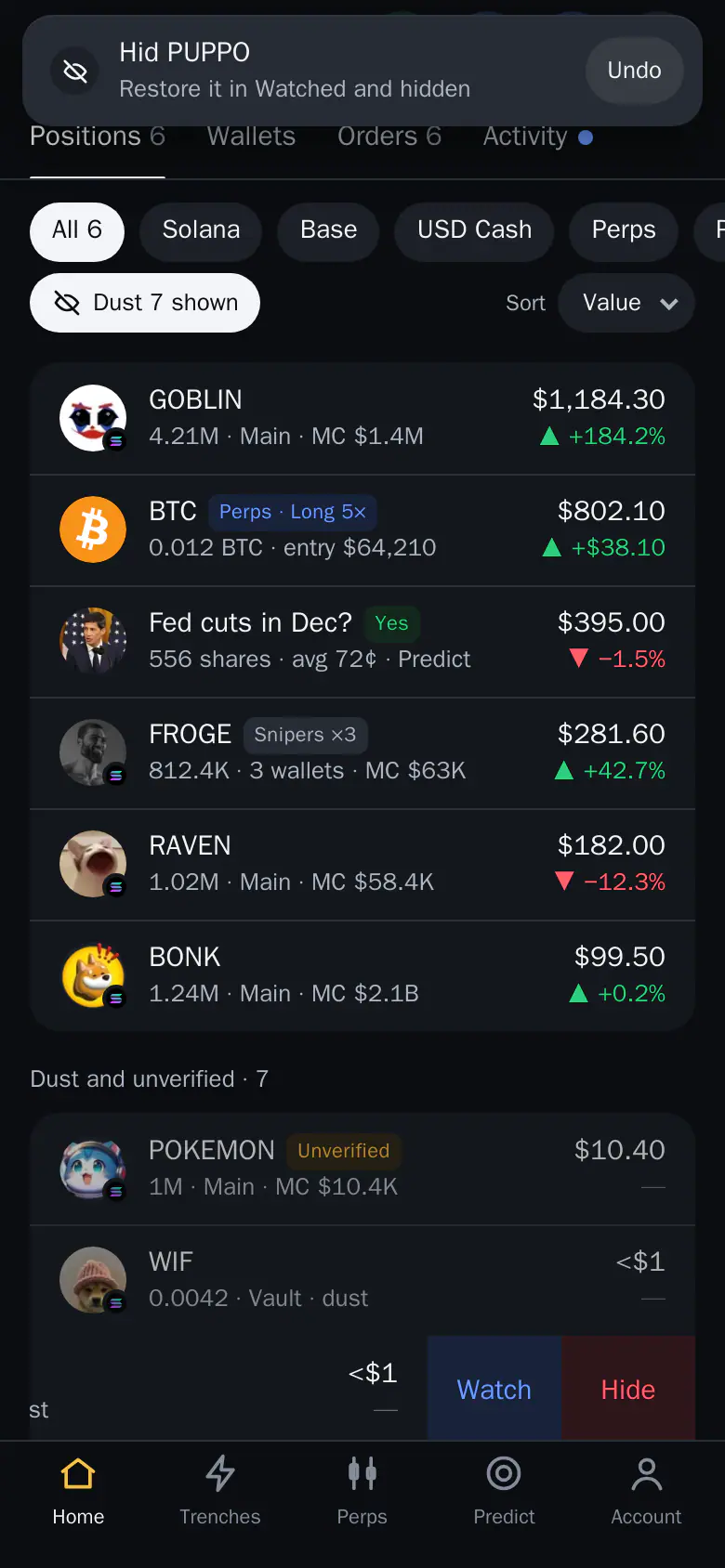
- Swipe a row to Watch or Hide it. Hide can be undone for a few seconds. See Hidden tokens.
- Pull down to refresh. If one chain fails to load, it gets its own Retry and the rest stays.
The header shrinks to your current value and four buttons: Buy, Swap, Send and Deposit. See Home and Swap.
Dust and labels
- Turn on the Dust chip to see tiny, unverified and scam coins, dimmed. They sit under Dust and unverified.
- A coin with no trading pool shows "No trading pool" and no value.
- Dollar coins under $0.01 and the dollars already in USD Cash are not listed.
- Possible airdrop scams are labelled Unverified. Use Clean up to burn dust.
Orders and history
Open orders are in the Orders tab, and everything that happened is in Activity. See Manage your orders and Activity.
Tip: Hide spam you never want to see. Hidden coins leave your totals too.
Note: Positions are tracked per wallet. The same token in two wallets shows as two positions, or one row with the wallet count.