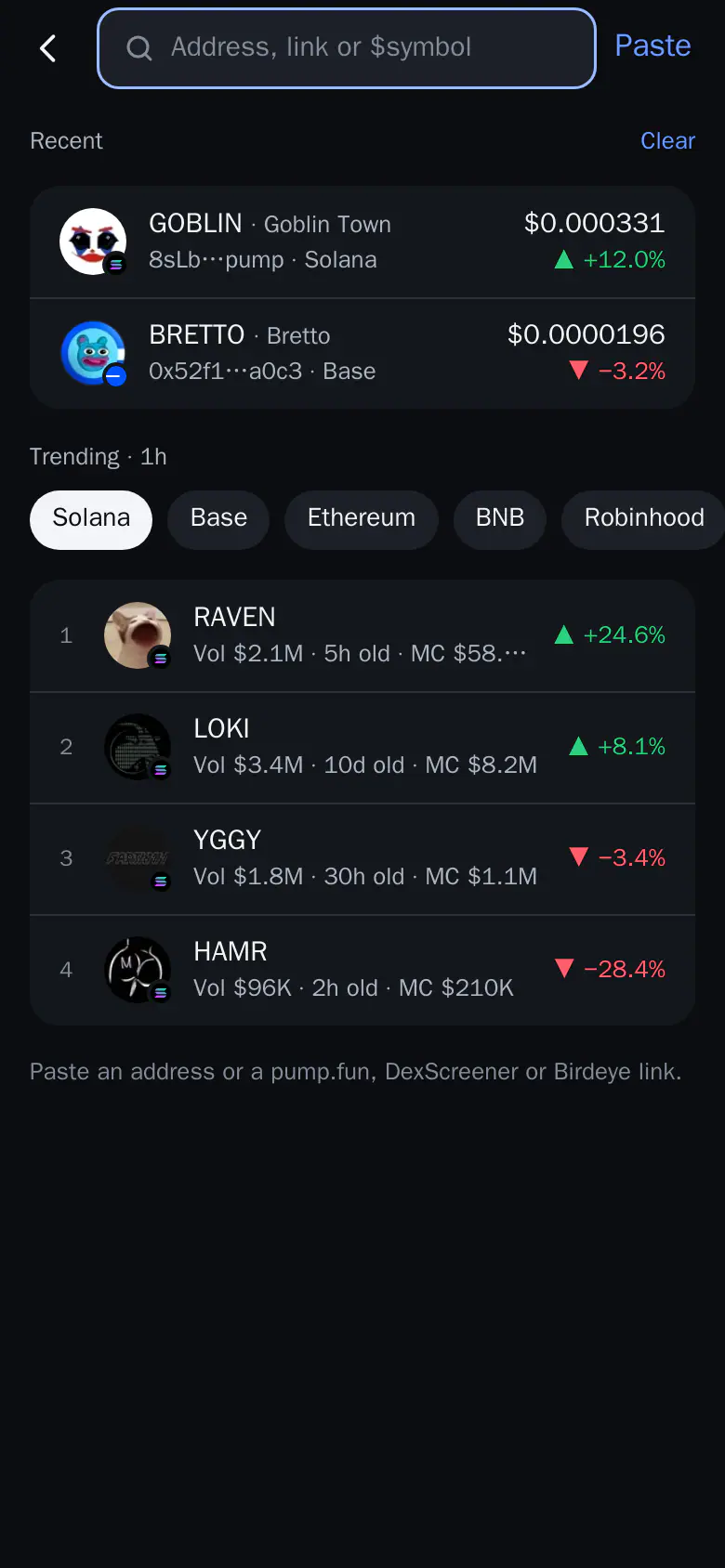
Find a token
Paste an address, a pool, a link or a $symbol to open any token on any chain.
To find a token in Thor, paste its contract address (CA), a pool address or a link. It works on all six chains: Solana, Ethereum, Base, BNB Chain, Robinhood Chain and Arc.
How to find a token
- In the Mini App, tap Buy on Home. Search opens with the field CA, link or $symbol. In the bot, just send a CA, a symbol or a link in the chat.
- Paste a contract address, a pool address, or a pump.fun, DexScreener or Birdeye link.
- If the token exists on several chains, Thor shows On several chains · pick one. Choose the chain you want.
- The coin card shows its logo, name, address, price, market cap, liquidity, age and what you hold. Tap Open to go to its coin sheet.
An empty search field shows the coins you opened recently and Trending on your chain, with a chip per chain.
Search by name
Turn on Symbol search and a $symbol finds every matching coin across chains, most liquid first, with unverified ones marked. If search finds nothing and the option is off, it offers to turn it on right there. You can also set it in Trading defaults.
Warning: Several tokens can share a symbol. Always check the address before you buy.
Good to know
- Paste a wallet address and Thor tells you to paste the token's contract address instead.
- With Auto buy on, opening a token from search buys it with your Auto buy settings. Auto buy never runs from the "several chains" picker.