How to Snipe Solana Tokens via Telegram Bot
Thor's Telegram bot auto-buys Solana tokens the moment a contract address appears in a forwarded message, a link, or any content you send it — executing on private nodes with sub-50ms latency and roughly 70% same-block execution.
What Is Token Sniping on Solana?
Sniping means buying a token within the first seconds — or milliseconds — of it becoming tradeable. On Solana, new tokens launch on Pump.fun, graduate to Raydium, or get called out in alpha groups continuously throughout the day. The traders who profit most are the ones who execute first, before the initial wave of buyers drives the price up.
Manual sniping is nearly impossible at scale. By the time you read a Telegram alpha call, copy the contract address, open your wallet, paste the CA, and confirm the transaction, dozens of bots have already filled. A Telegram sniper bot eliminates every one of those manual steps — the bot receives the CA, evaluates it against your settings, and executes the buy automatically.
How Thor Detects Contract Addresses in Telegram
Thor's Telegram bot monitors every message you send or forward to it for recognisable Solana contract addresses. It does not require any specific command or format — it reads the content automatically. Three types of input trigger autobuy:
- Raw contract address — paste or forward any message that contains a Solana token CA and Thor detects and acts on it immediately.
- Links — DexScreener, Pump.fun, Birdeye, GMGN, and similar URLs contain the CA in the URL structure. Thor parses it automatically without you needing to extract it manually.
- Forwarded messages — forward an alpha call directly from any Telegram group to your Thor bot. Even if the CA is buried in a block of text, Thor extracts and processes it.
This covers the full workflow of how Solana alpha actually moves: callers drop CAs in group chats, share DexScreener links, or post raw addresses. Thor handles all three without any extra steps from you.
Setting Up Thor for Telegram Sniping
- Open Thor on Telegram and create or import a wallet. Thor stores private keys with BS58 encryption — keys are never shared externally.
- Fund your Thor wallet with SOL. Keep a small reserve (at least 0.05–0.1 SOL) for network fees on top of your intended buy amounts.
- Go to Settings and configure your default trade parameters (see next section).
- Enable Autobuy. With autobuy on, Thor will execute immediately when it detects a CA in any message you send or forward to the bot.
- Configure AutoSell to set your take-profit, stop-loss, and trailing stop so exits are handled automatically after every snipe.
Configuring Your Snipe Settings
These are the core parameters to set before enabling autobuy. Thor applies them to every snipe triggered through the bot.
AutoSell: Automating the Exit on Every Snipe
The buy is only half the trade. Thor's AutoSell registers your take-profit, stop-loss, and trailing stop the moment the buy confirms — so the exit is handled automatically without you needing to watch the chart.
Configure AutoSell in Settings → AutoSell in the Telegram bot. Once set, every snipe — including those triggered by forwarded messages — will have exit orders attached automatically.
- Take Profit: sell a % of your position at a target multiplier (e.g., sell 50% at 2×)
- Stop Loss: sell 100% if price drops to a defined % below entry (e.g., −40%)
- Trailing Stop: follows the price upward and sells on reversal — captures upside without setting a hard ceiling
AutoSell runs on Thor's private servers 24/7. Closing the Telegram app or turning off your device has no effect on active exit orders.
Risk Management for Telegram Sniping
Autobuy makes execution fast, but it also means you are buying before you have evaluated the token. These practices help limit losses from bad calls:
- Keep autobuy buy amounts small. The value of a Telegram sniper is speed across many trades, not sizing up on every single call. Small positions on many trades give you better expected value than large positions on unvetted ones.
- Always have a stop loss set. With autobuy enabled, some trades will be into rugs or honeypots. A stop loss at −40% to −50% ensures any single bad call does not significantly impact your total portfolio.
- Be selective about what you forward. Not every alpha call deserves a snipe. Forward selectively from sources you trust rather than treating every message as equally valid.
- Toggle autobuy off when researching. If you want to look at a CA before buying, disable autobuy first, then paste the CA. Thor will show you the token details without executing.
Frequently Asked Questions
Only when autobuy is enabled. With autobuy on, Thor buys any CA it detects in a message. With autobuy off, Thor shows you a quote for the token instead of executing — giving you a chance to review before committing. There is no per-source restriction; the toggle is global.
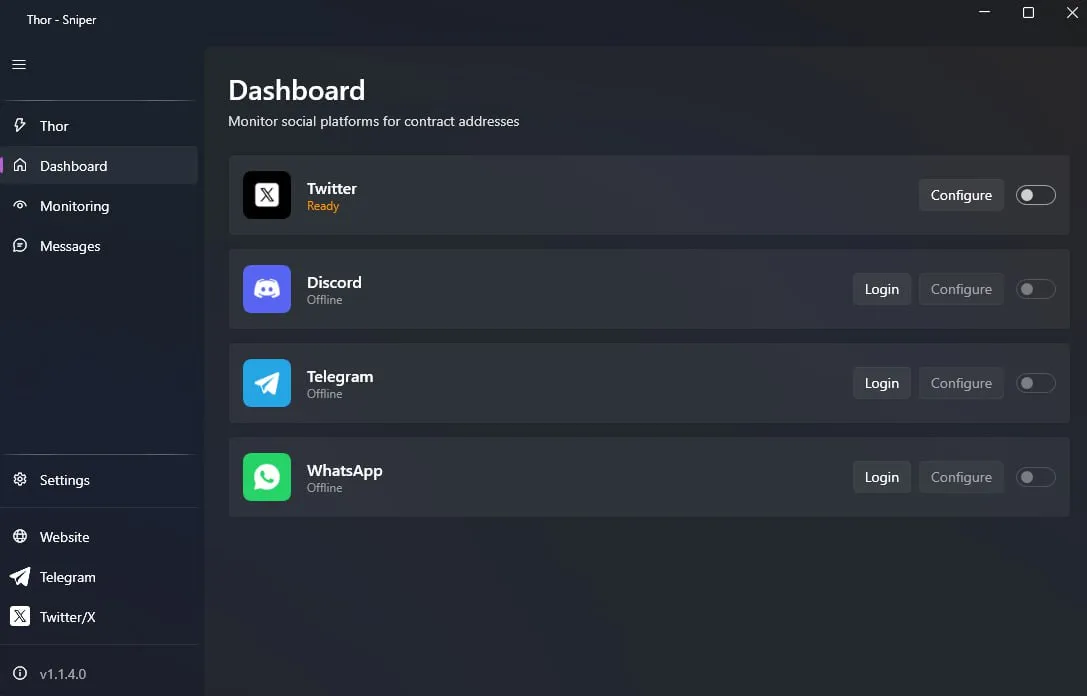
The Telegram bot reacts to CAs that appear in your conversation with the bot — forwarded alpha calls, links, or any message you send it containing a CA. Thor Sniper is a Windows desktop app that runs 24/7 and monitors external sources (Twitter/X, Telegram groups, Discord, WhatsApp) autonomously without you needing to forward anything manually.
Thor executes on private RPC nodes with sub-50ms latency. There is no shared bandwidth or public RPC queue. Thor achieves approximately 70% same-block execution rate, meaning in 7 out of 10 snipes the buy lands in the same block the token first appears on-chain.
Yes. Thor supports multiple preset profiles. You can configure one preset for high-conviction calls (larger SOL amount, tighter slippage) and another for speculative forwards (smaller amount, wider slippage), and switch between them instantly inside the bot.
Thor automatically retries with adjusted slippage until the transaction lands. The buy protection system also prevents repeated failed transactions from draining SOL in priority fees. If the token moves past your maximum slippage tolerance, Thor cancels rather than fill at a destructive price.
Never miss an alpha call again
Thor's Telegram bot detects contract addresses in forwarded messages, links, and raw CAs — and executes on private nodes with sub-50ms latency and ~70% same-block rate. Set once, snipe automatically.