To launch a memecoin from Telegram, open the Thor Mini App and tap Launch in the Home header. Add a picture, name and ticker, pick Solana (pump.fun) or another chain, choose your first buy, then hold the button to launch. Creating the coin is free in Thor; you pay only the network cost and the normal fee on your first buy.
This guide walks through each step, what to decide before you start, and what to do after the coin is live: buying and selling from your launch wallets, and claiming creator fees.
 Thor Trading Bot
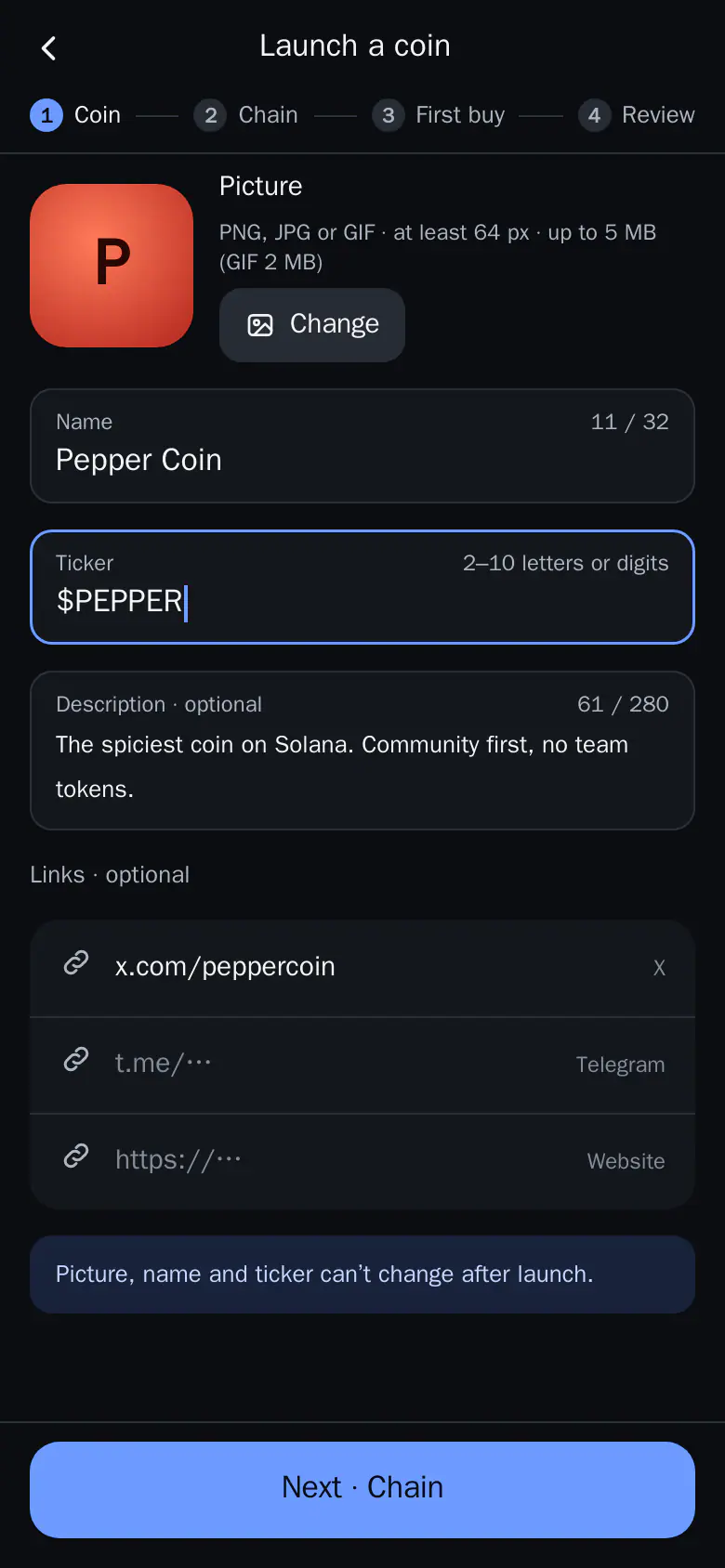

- Tap Next. Add the picture, name, ticker and links, then go on to the chain.
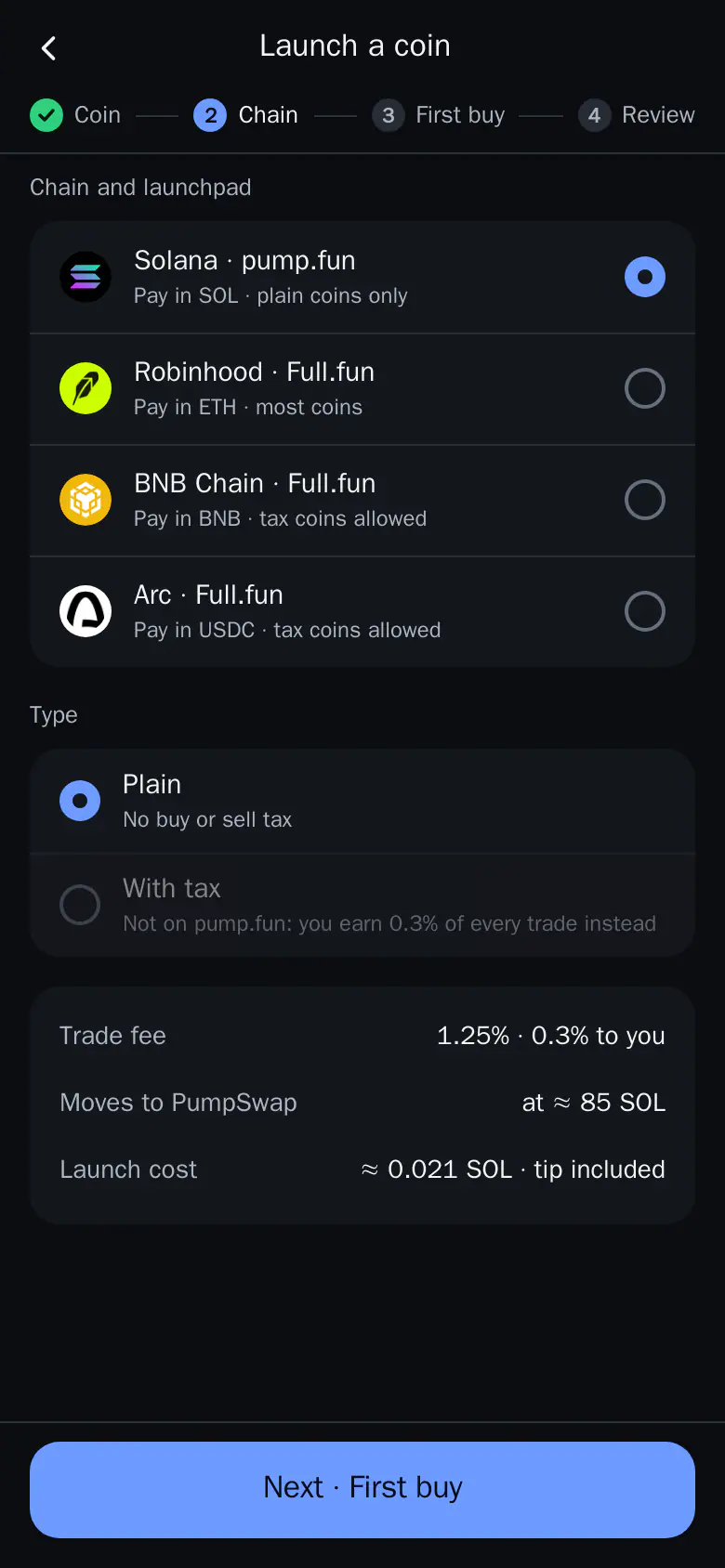
- Pick the chain. Solana launches on pump.fun. Choose plain or with tax, then go on.
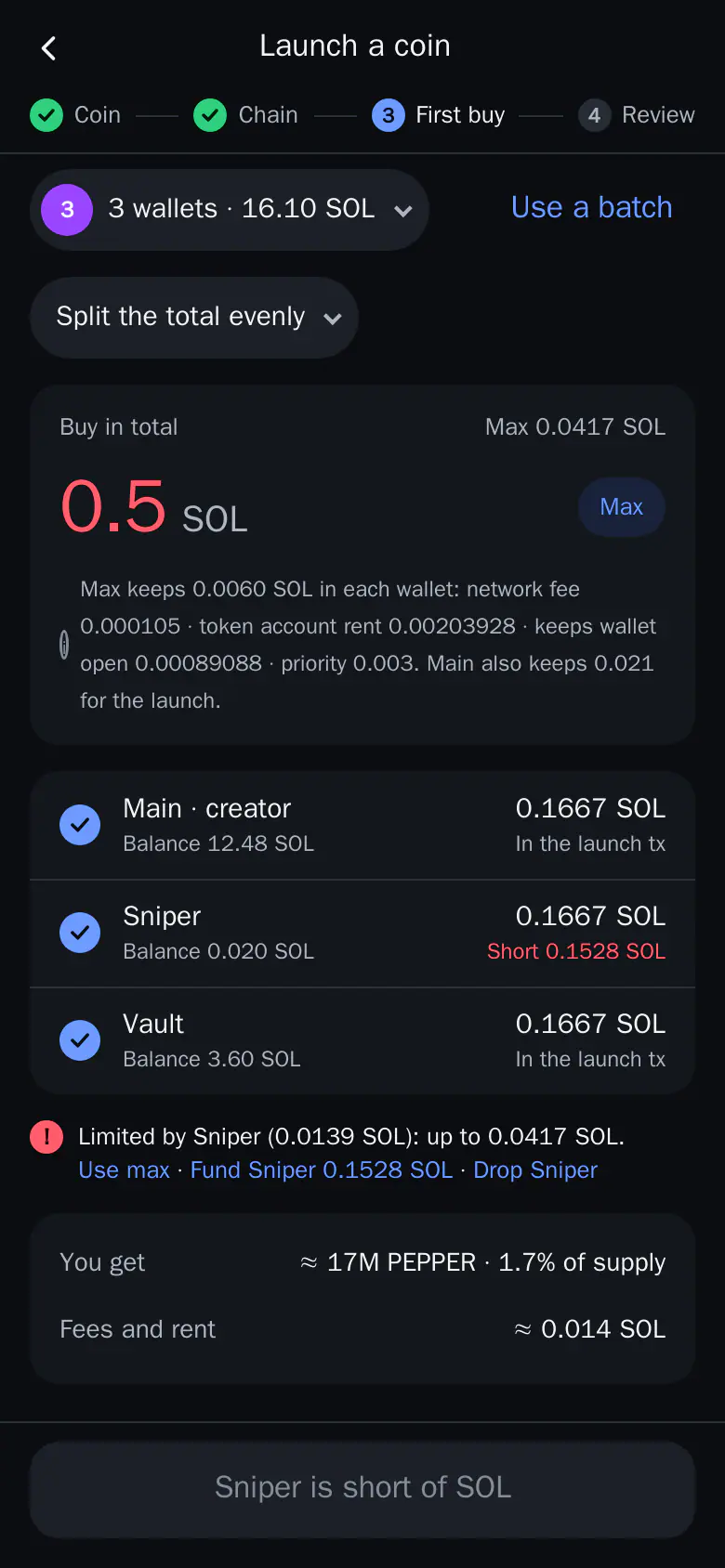
- Fund a wallet. A wallet without enough SOL can be funded from Main, or dropped.
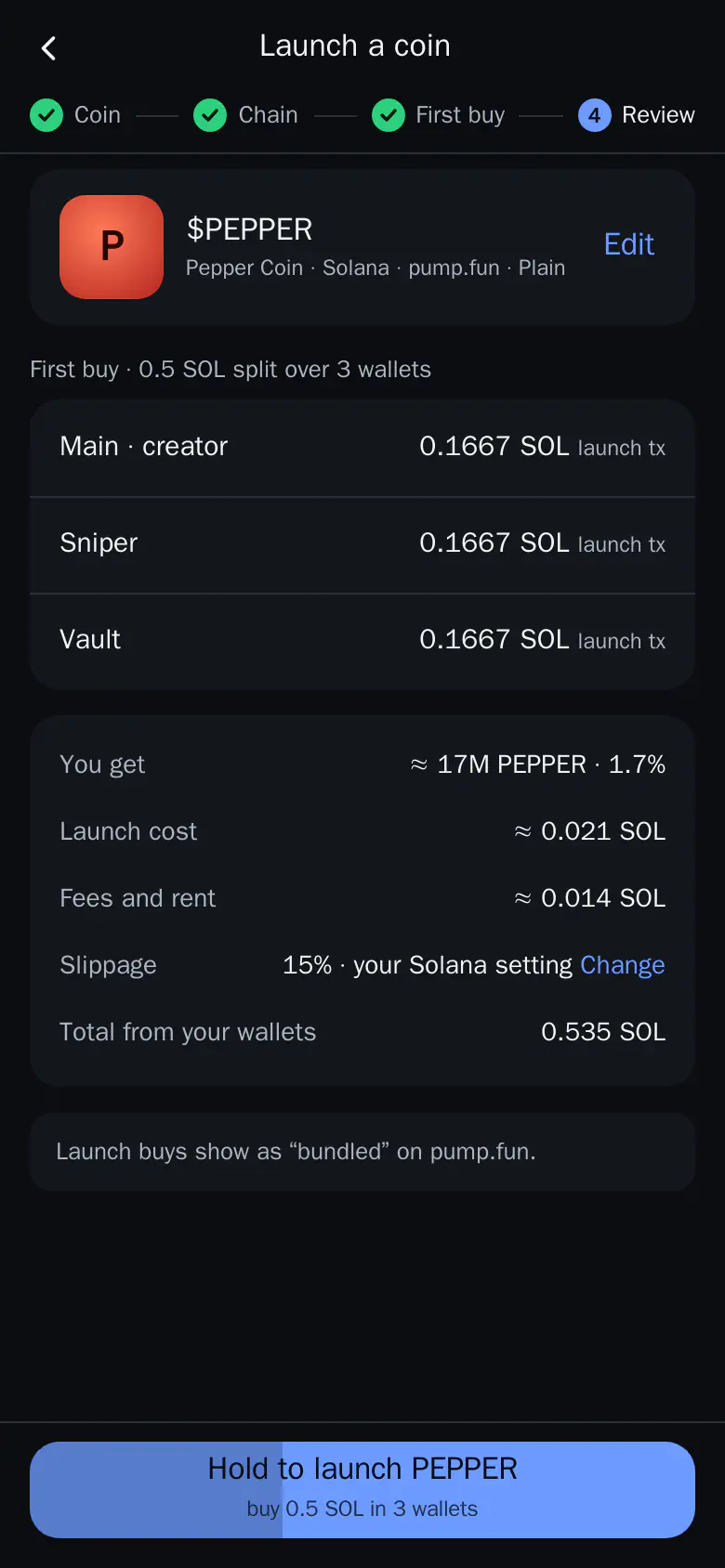
- Hold to launch. Check what you get, the costs and the total, then hold the button.
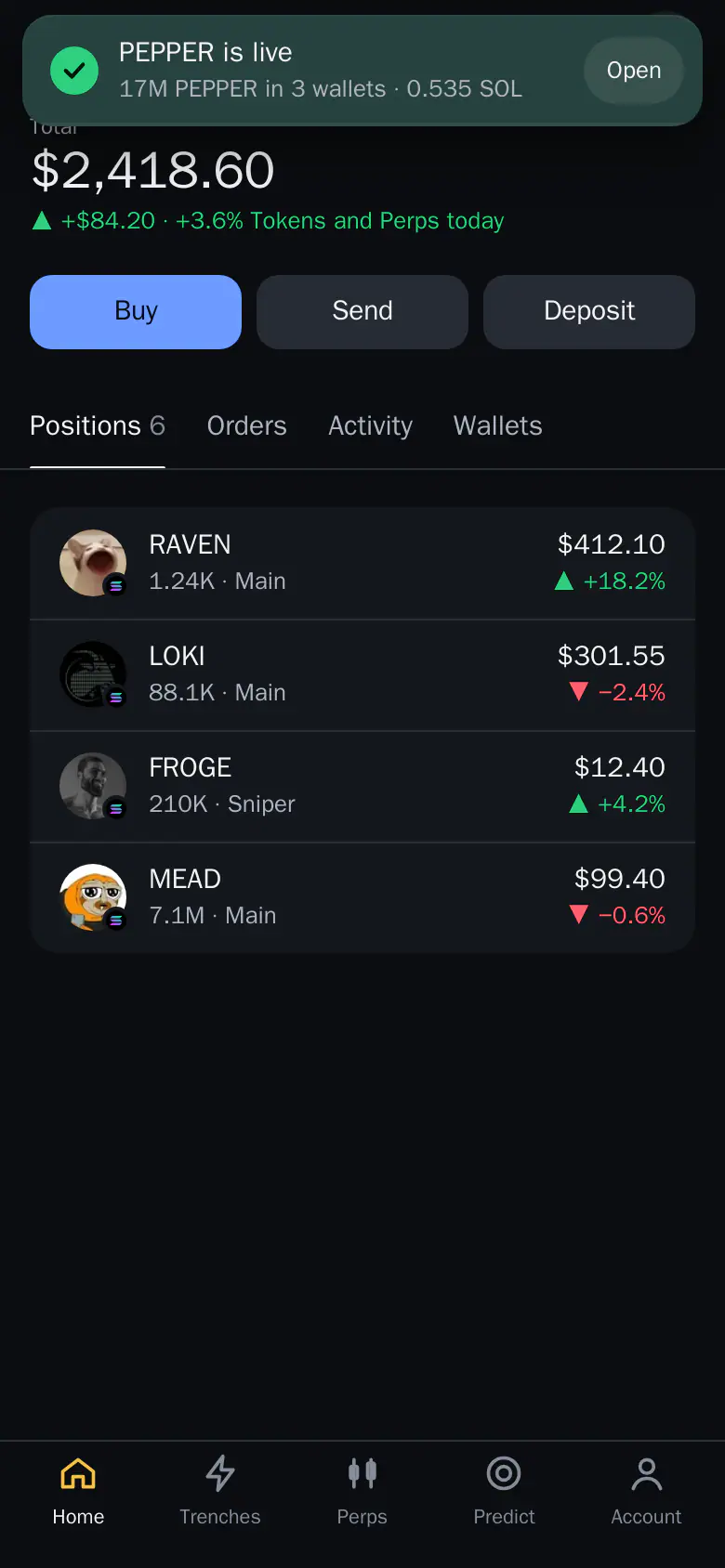
- Follow the launch. A toast follows each step: checked, creating the coin, done.
- Open My coin. The coin is live. The toast shows what you bought.
Before You Launch
Have these ready before you open the wizard:
- A picture. PNG, JPG or GIF, with GIFs up to 2 MB. Videos are not supported.
- A name and a ticker. They can't change after launch, so check spelling and capitals.
- A short description and links. X, Telegram and a website are optional but make the coin easier to trust.
- SOL in your wallets (or the chain coin for other chains) for the first buy and the network cost. See Deposit.
Note: Launch is in the Mini App only, not in the bot chat.
Step 1: Coin
- Tap Launch in the Home header.
- Add the picture with Change.
- Type the name, ticker and description.
- Add your links, then tap Next · Chain.
Your draft is saved as you type. If you leave the wizard, it is there when you come back.
Thor Trading Bot123- Change. Adds or replaces the coin picture.
- x.com/peppercoin. Links to your X account. Telegram and a website sit below it.
- Next · Chain. Moves on to the chain step.
Step 2: Chain
Pick where the coin lives:
| Chain | Launchpad | Pay in | Tax coins |
|---|---|---|---|
| Solana | pump.fun | SOL | No, plain coins only |
| Robinhood Chain | Full.fun | ETH | Yes |
| BNB Chain | Full.fun | BNB | Yes |
| Arc | Full.fun | USDC | Yes |
A plain coin has no buy or sell tax. A coin with tax (Full.fun only) charges a small tax on trades; on pump.fun you earn creator fees instead. Most memecoin traders prefer plain coins, and pump.fun is where most Solana memecoins launch.
- Tap a chain.
- Choose Plain or With tax.
- Tap Next · First buy.
Thor Trading Bot123- Solana · pump.fun. Launches on pump.fun and pays in SOL.
- Plain. No buy or sell tax on the coin.
- Next · First buy. Moves on to the first buy.
Step 3: First Buy
The first buy is the amount you buy of your own coin at launch, from one or more of your wallets.
- Pick the wallets, or tap Use a batch to pick a saved group.
- Type the total, or tap Max.
- Choose Split the total evenly or a random split.
- If a wallet is short of SOL, tap Fund or Drop under the list.
Up to 4 wallets buy inside the launch itself. Any others buy right after.
Thor Trading Bot1234- Use a batch. Picks a saved group of wallets. See Batches.
- Split the total evenly. Splits the amount evenly or at random across the wallets.
- Max. Buys as much as every wallet can afford.
- Fund Sniper. Tops up a wallet that can't afford its share.
Keep the first buy modest. Traders can see how much of the supply the creator's wallets hold, and scanners flag a large share. See Batches to set up wallet groups.
Step 4: Review and Launch
- Check the wallets and amounts. Edit goes back to change them.
- Check what you get, the costs and the total.
- Hold the button to launch.
Thor Trading Bot12- Edit. Goes back to change the first buy.
- Hold to launch PEPPER. Launches the coin and makes the first buy. Hold to confirm.
After the hold you are back where you started. A toast follows the launch step by step; tap it for the details. If the launch fails before anything is spent, the red toast stays and Fix reopens the wizard with your draft intact.
After Launch: My Coin
When the coin is live, tap Open on the toast to go to My coin.
- Market cap and chart, what you hold across your launch wallets and your P&L.
- Creator fees with Claim.
- Buy and Sell from your launch wallets at once.
- Gather, Fund and Cash back move tokens and SOL between your launch wallets.
Thor Trading Bot 123
- Claim. Claims the creator fees your coin has earned.
- Buy. Opens the coin sheet with your launch wallets picked.
- Cash back. Sends the SOL in your launch wallets back to Main.
Cash back leaves enough SOL in each wallet to sell later. With a PIN set, it is asked, as for every send. See Security PIN.
Fees for Launching a Coin
| Cost | Amount |
|---|---|
| Creating the coin in Thor | Free |
| First buy and later trades | Thor's normal fee: 0.5% per spot trade, 0% with the subscription |
| Network cost | Paid to the chain, shown on the review step |
See Fees.
Tips for a Better Launch
- Check the review step twice. The picture, name and ticker are permanent.
- Fund wallets first. A wallet that is short slows you down at step 3. See Batches.
- Set your exits. Add a take profit or trailing stop to your own position, like any other coin. See Trailing stop loss for crypto.
- Watch it in Trenches. New pump.fun coins show in the Trenches lists, where buyers find them. See Pump.fun Trenches scanner.
Warning: Most new memecoins lose value. Only spend on the first buy what you can afford to lose.
Launch Your Coin From Telegram
Open Thor on Telegram, tap Launch on Home and your coin can be live in a few minutes. Want to trade other launches instead? Read how to buy on Pump.fun.
Frequently asked questions
How do I create my own memecoin?
Open the Thor Mini App in Telegram and tap Launch in the Home header. Add a picture, name and ticker, pick the chain, choose your first buy and hold the button to launch. Solana coins launch on pump.fun.
How much does it cost to launch a coin on pump.fun?
Thor charges nothing to create the coin. You pay the network cost of the chain, and the normal trade fee on your first buy. The review step shows the costs and the total before you launch.
Can I change the name or picture after launch?
No. The picture, name and ticker can't change after launch, so check them on the review step. Your draft is saved as you type, so you can leave and come back.
Which chains can I launch a coin on?
Solana on pump.fun, or Robinhood Chain, BNB Chain and Arc on Full.fun. Pump.fun coins are plain. Full.fun coins can carry a buy or sell tax.
How do I claim pump.fun creator fees?
Open My coin after the launch. It shows the creator fees your coin has earned, with a Claim button.
What happens if my launch fails?
If it fails before anything is spent, a red toast stays on screen. Tap Fix to reopen the wizard with your draft intact and try again.
Step-by-step in the Docs
- Launch your own coin: Create a coin and make the first buy in one flow from the Home header. Creating is free.
- Batches: A batch is a named group of 2 to 20 wallets. Fund it, then buy, sell and place orders with all of them.
- DEXs and Launchpads: See one market's own top list in Trenches, or launchpad coins by stage: New, Graduating and Graduated.