Launch your own coin
Create a coin and make the first buy in one flow from the Home header. Creating is free.
How do I create my own memecoin in Thor? Tap Launch in the Home header. You create the coin and make the first buy in one flow.
Note: Mini App only.
How to launch
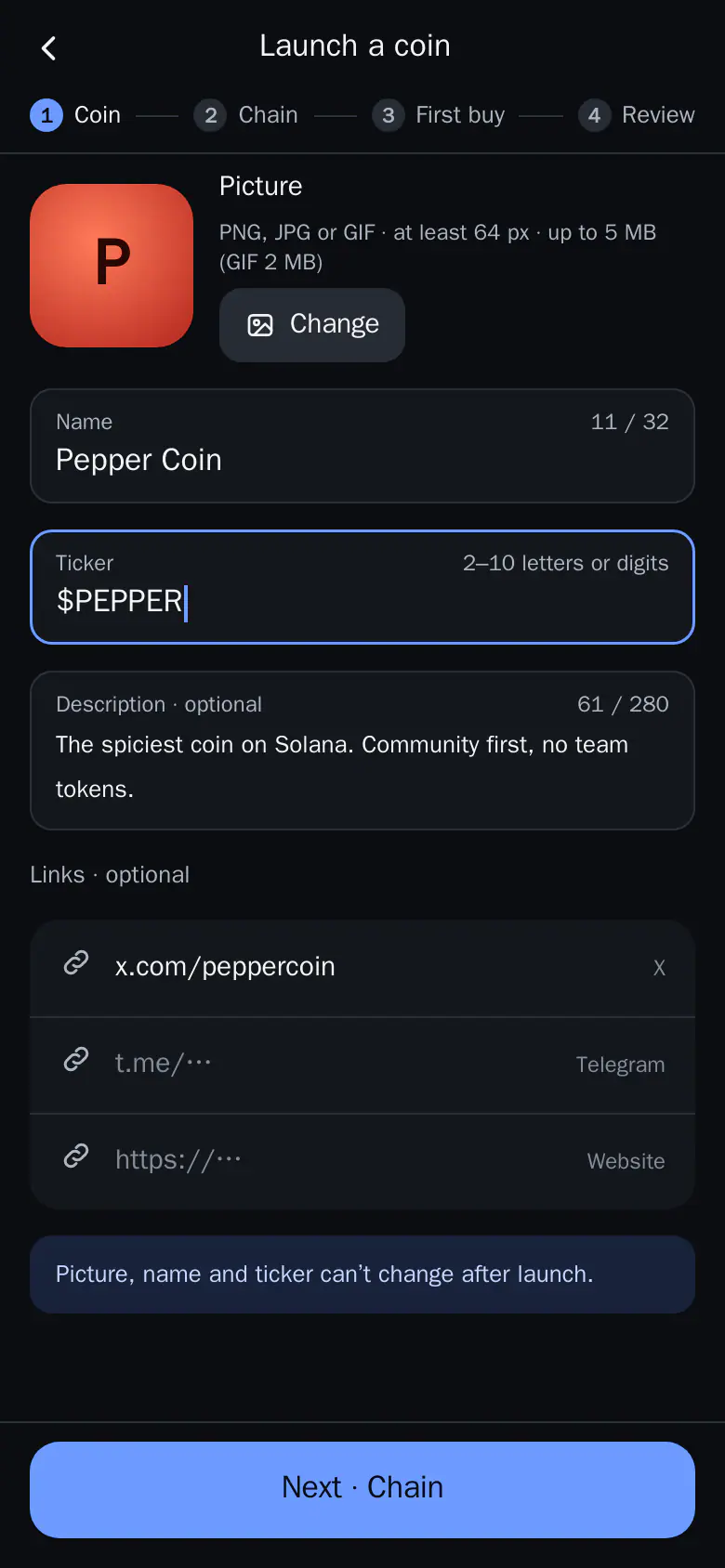
- Coin: add a picture, name, ticker, description and links. Pictures are PNG, JPG or GIF (GIF up to 2 MB). No videos.
- Chain: Solana on pump.fun, or Robinhood, BNB Chain or Arc on Full.fun. Full.fun coins can carry a buy or sell tax; pump.fun coins are plain.
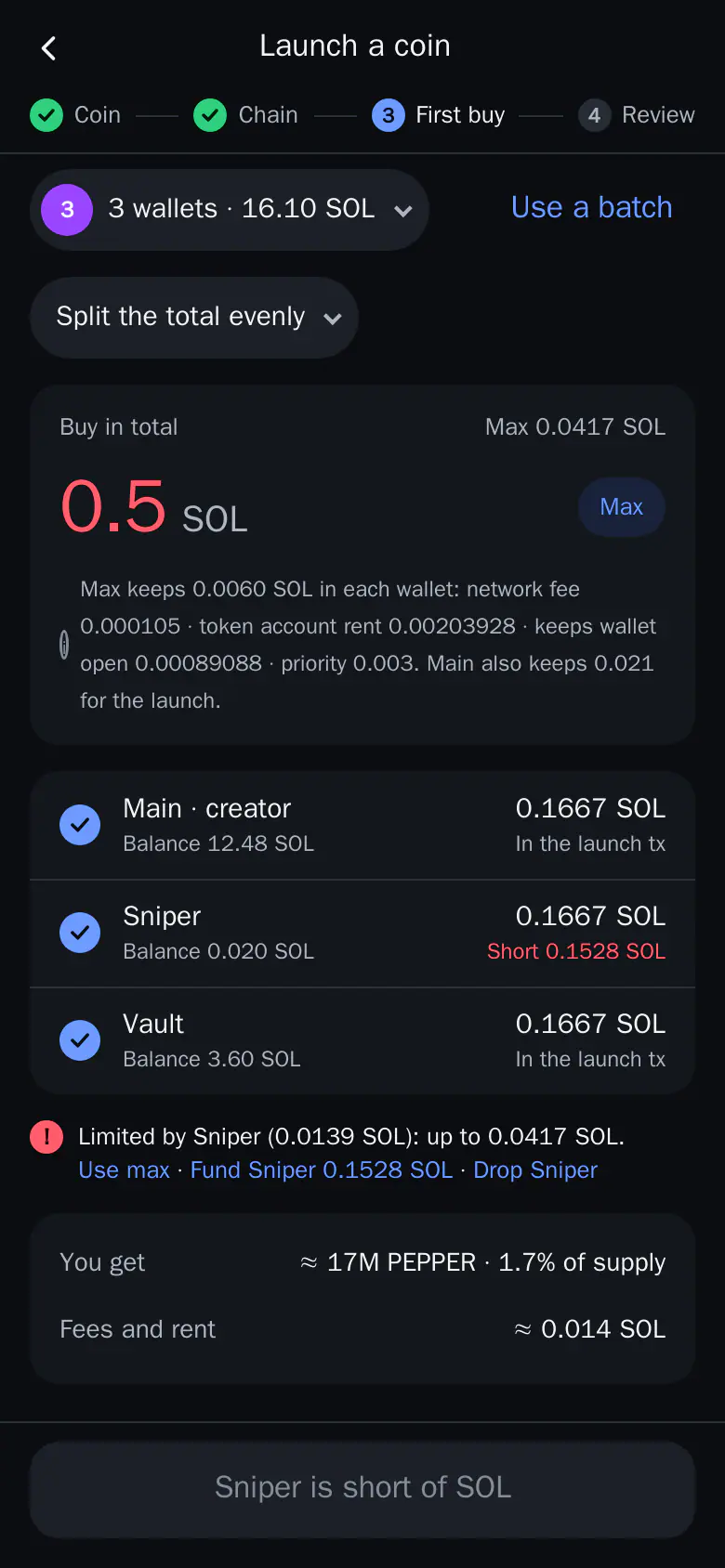
- First buy: pick the wallets and the amount, split evenly or at random. Up to 4 wallets buy inside the launch itself. The rest buy right after.
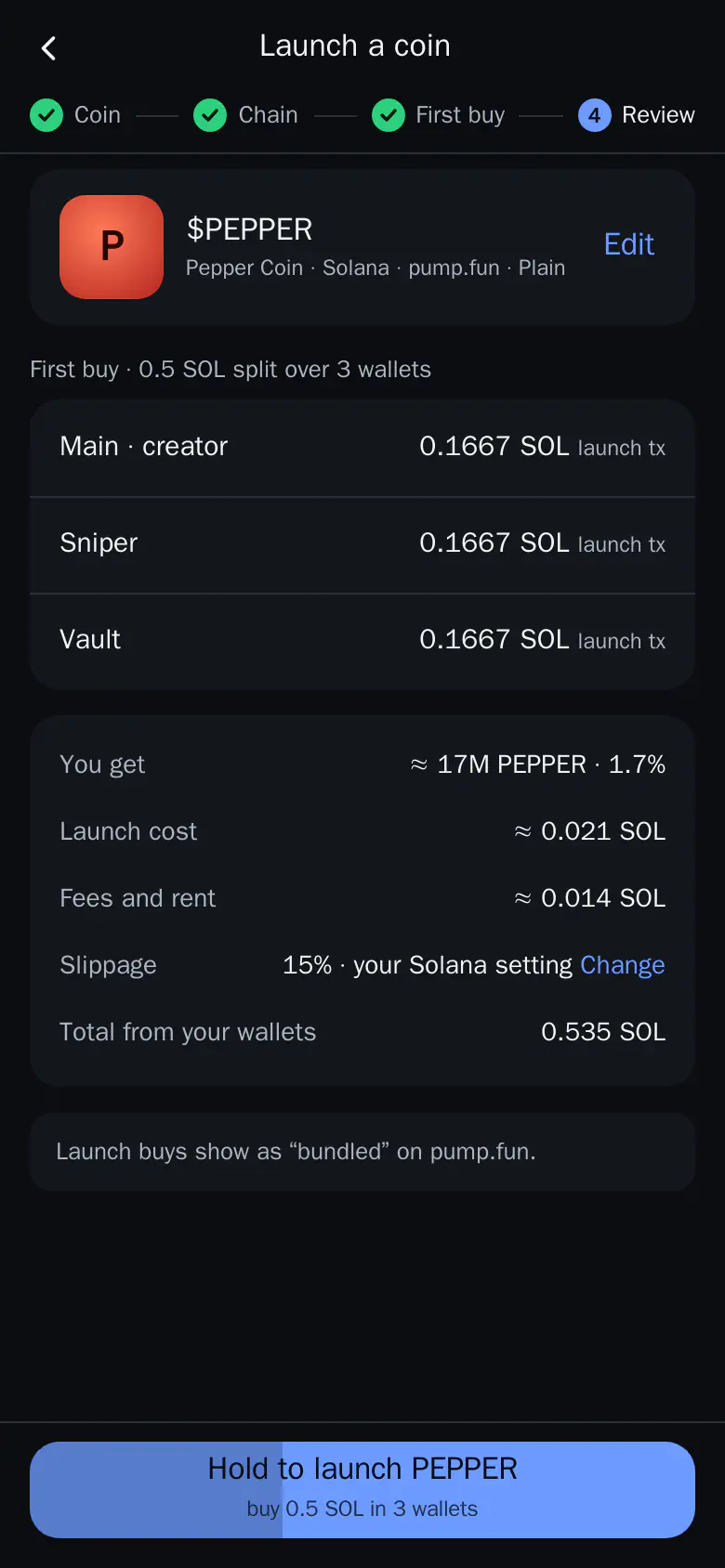
- Review: see what you get, the costs and the total. Hold the button to launch.
After the hold you are back where you started. A toast follows the launch; tap it for the steps. When the coin is live, Open goes to My coin.
If the launch fails before anything is spent, the red toast stays. Fix reopens the wizard with your draft intact. The draft is also saved if you leave.
Fees
Creating a coin is free. Normal trade fees apply to its buys and sells, and the network costs of the chain apply.
My coin
After launch, My coin shows:
- market cap and chart, what you hold and your P&L;
- the creator fees, with Claim;
- Buy and Sell, Gather, Fund and Cash back, which move tokens and SOL between your launch wallets.
Buy from My coin opens the coin sheet with your launch wallets picked, like a batch. A wallet that can't afford its share buys what it can. Cash back sends the SOL in your launch wallets back to Main, and each wallet keeps enough to sell later. With a PIN set, it is asked, as for every send.
Tip: Fund the wallets you want to buy with first. See Batches.