DEXs and Launchpads
See one market's own top list in Trenches, or launchpad coins by stage: New, Graduating and Graduated.
Two Trenches tabs show coins the way a single source ranks them, next to Thor's own score and flags. You can launch your own coin too, see Launch.
DEXs
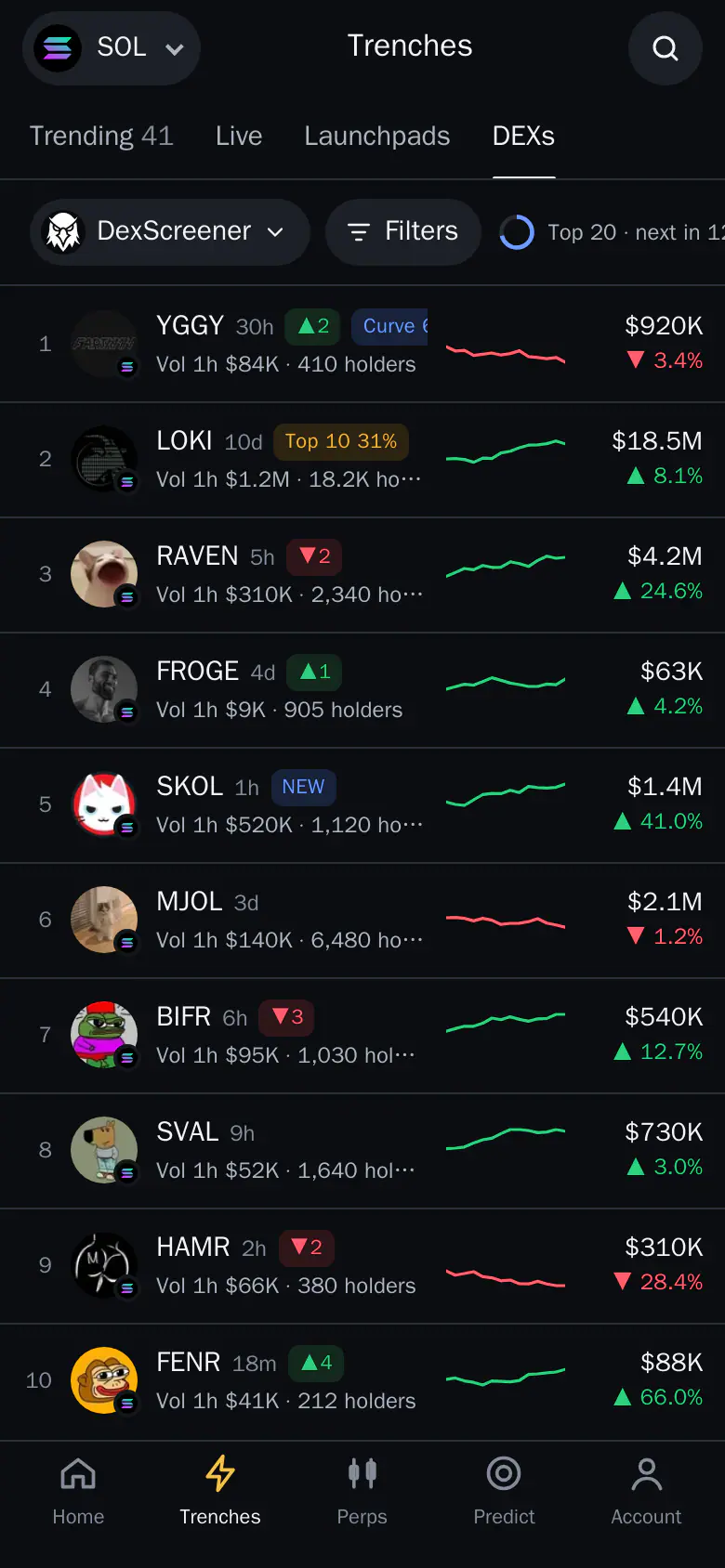
DEXs shows one source's own ranking, for example DexScreener's top 20, with rank moves since the last refresh. Pick the source at the top: a ranked list such as DexScreener or pump.fun, or one DEX's top 20 by volume. With pump.fun you can pick New, About to graduate or Graduated, and each row shows how full its curve is.
The list is display only and refreshes every 20 seconds. Your filters apply here too.
Launchpads
Launchpads follows coins that are still on a launchpad curve:
- New: just launched, newest first. Each row shows the launchpad, how full the curve is and how fast it fills.
- Graduating: curves 80% full or more, closest to graduating first, with the time left when the curve is moving.
- Graduated: moved to a regular pool, such as PumpSwap on Solana.
Pick one launchpad or all of them. The counts are the coins in that stage now. On Solana, Launchpads sits next to Live.
How to use them
- Open Trenches and tap DEXs or Launchpads.
- Pick the source or the stage.
- Tap a coin to open its coin sheet, where you buy.
Note: New launchpad coins are the riskiest coins in Trenches. Start small and set a stop. See Trading safely.