Thor works as a BNB trading bot on Telegram: deposit BNB on BNB Chain (BSC) to your Thor EVM wallet, paste a token address in the chat and buy or sell in one tap. Every BSC token shows a Safety row before you trade, and your take profit and stop loss orders keep running even when Telegram is closed.
No BNB yet? Trade BNB Chain from USD Cash: one USDC balance that buys BNB Chain tokens directly, with the network cost paid for you and charged in USDC. When you sell, the money comes back to USD Cash as USDC. You can fill it with USDC, USDT, SOL or ETH from any supported chain.
Below you will find how to set up the wallet, fund it, trade, protect yourself from scam tokens and keep fees low on BNB Chain.
What You Need for a BSC Trading Bot on Telegram
BNB Chain, often called BSC (BNB Smart Chain), is an EVM chain. When you start Thor on Telegram, you get two wallets: one for Solana and one for EVM chains. BNB Chain uses the EVM wallet.
| What | On BNB Chain |
|---|---|
| Wallet | Your Thor EVM wallet |
| Native coin | BNB |
| Address | Same EVM address as on Ethereum, Base, Robinhood Chain and Arc |
The address is shared across EVM chains, but each chain has its own balance. BNB sent on BNB Chain only shows on BNB Chain.
You can keep up to 20 EVM wallets. Open Home → Wallets, tap BNB Chain in the chain bar and pick a wallet, or tap Create to add one. Wallets are created and secured by Privy, a third-party wallet infrastructure provider, and ODIN Tools never holds them. See Wallets.
How to Fund Your Wallet With BNB
 Thor Trading Bot

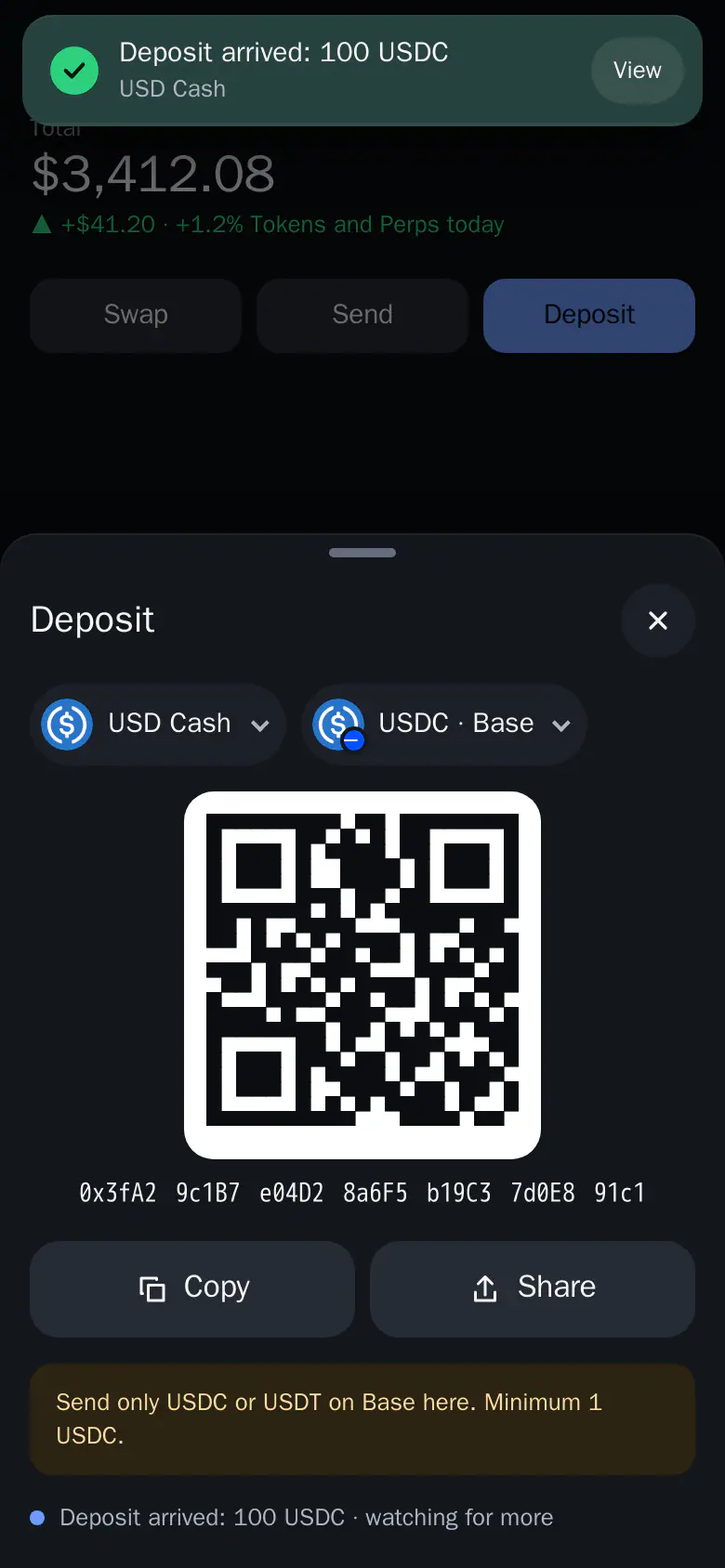
- Pick the coin and network. Choose BNB on BNB Chain. The warning names the wallet and the network.
- Copy the address. Your EVM address is the same on every EVM chain.
- Wait for the toast. A toast shows the deposit when it arrives, wherever you are.
Deposit BNB on BNB Chain
- Open Deposit from Home in the Mini App.
- Pick your EVM wallet, then BNB on BNB Chain.
- Tap Copy, Share or scan the QR code.
- Send BNB on the BNB Chain network from another wallet or an exchange. The sheet shows Waiting for a deposit, and a toast tells you when it lands.
See Fund your wallet.
Warning: Exchanges often offer BNB on several networks. Pick the one that matches BNB Chain. Funds sent on other networks can be lost.
Thor Trading Bot123- SOL · Solana. Tap the coin and network pill to switch to BNB on BNB Chain.
- Copy. Copies the address of the wallet you picked.
- Share. Sends the address to a chat or another app.
Bridge SOL to BNB Chain
If your funds are in your Solana wallet, use Send:
- Open Home → Send.
- In From, choose your Solana wallet and SOL.
- In To, choose your EVM wallet and BNB on BNB Chain.
- Check the minimum you will receive, the network cost and the arrival time.
- Confirm and follow the toast.
If a quote changes before you confirm, Thor asks you to check it and confirm again. Some routes take a few minutes. Send back to Solana the same way whenever you want, and see the bridge guide for every route.
Thor Trading Bot Thor Trading Bot

How to Trade BSC Tokens on Telegram
Buy on BNB Chain
- Open Home → Buy in the Mini App, or paste the token address into the bot chat. Links from DexScreener or a block explorer work too.
- If the token shows on several chains, filter the results and pick the BNB Chain one.
- Tap an amount, for example one of your preset BNB buttons, or type your own.
- Check what you get and the price impact, then tap Buy.
Thor Trading Bot 123
- BNB. Filters the results to BNB Chain.
- Most liquid. The most liquid copy is usually the coin people are talking about.
- Paste. Pastes the address from your clipboard.
A toast follows the buy until it lands, and Details shows what you paid and got. See Buy. Coins on launchpad curves such as four.meme trade too, and you can find new ones in Trenches → Launchpads.
Sell on BNB Chain
- Open the coin from Home → Positions. Your position sits on top and the bar opens on Sell.
- Tap a percentage such as 50% or 100%, or type an amount.
- Tap Sell.
Tip: Leave a little BNB in your wallet. Selling is an on-chain transaction and needs BNB for the network cost.
Orders That Run While You Sleep
On the coin sheet, the order buttons open one Order sheet for each kind:
- Take profit and stop loss. Set targets as a percentage, price or market cap. You can stack several levels. See Take profit and stop loss.
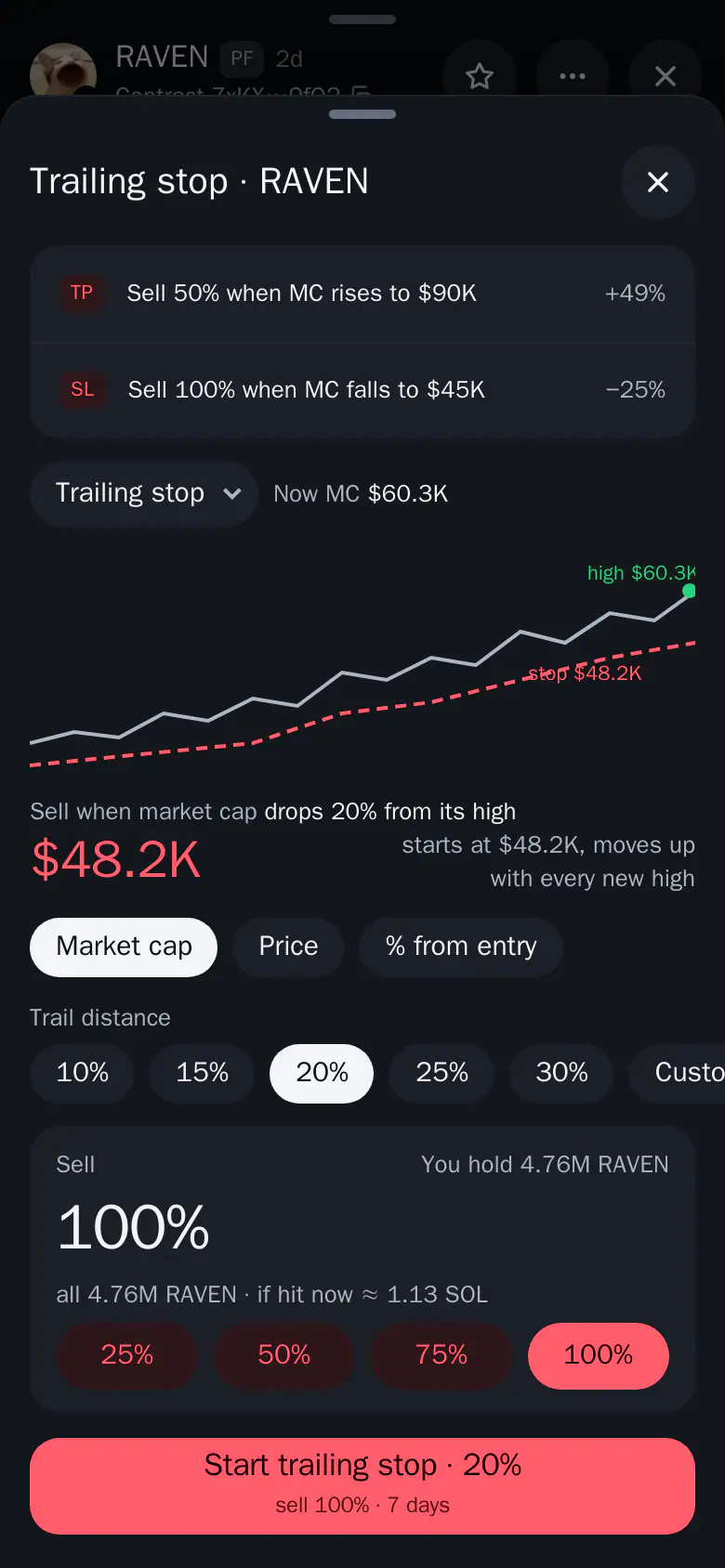
- Trailing stop. A stop that rises with the price and never moves down. See Trailing stop.
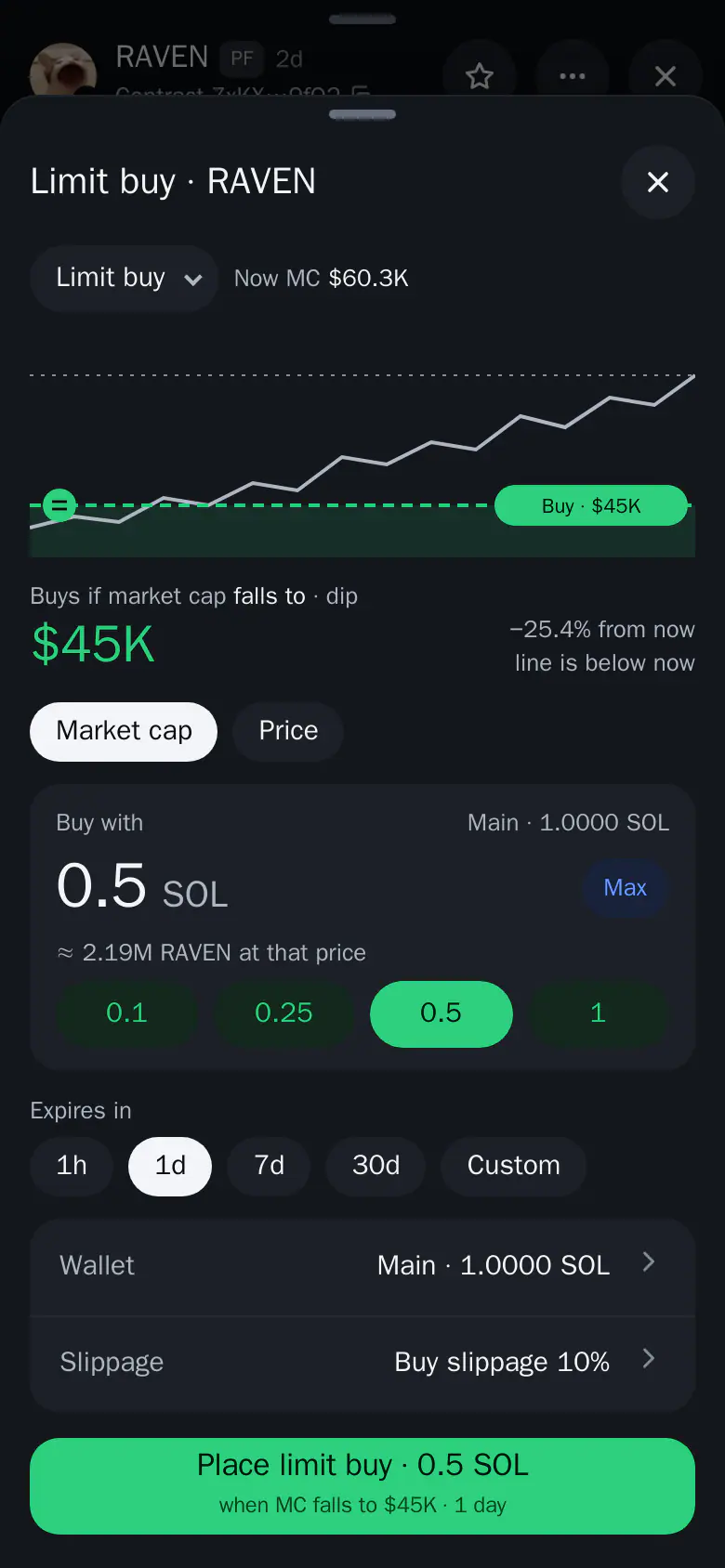
- Limit buy. Triggers on % from entry, Price or Market cap. See Buy when.
Manage everything in Home → Orders or Account → Orders and automation.
Thor Trading Bot Thor Trading Bot
 Thor Trading Bot
Avoiding Honeypots and High-Tax Tokens on BSC
BSC has a long history of tokens that can be bought but not sold, or that take a large tax on every sell. Thor helps here. On EVM chains, the Safety row on the coin sheet shows one of these outcomes before you buy:
- Security checks passed. No flags found.
- High risk. One or more flags, such as a token you cannot sell all of, a blacklist or a supply the owner can mint. Check the flags before buying.
- Scam risk · trade blocked. Thor will not buy this token.
- Caution. The checks disagree. Press Buy again if you still want to continue.
Buy tax and sell tax show on every quote, and a tax at or above your slippage warns you that the trade will most likely fail. Read the Safety row before you buy, and check liquidity, holders, age and socials yourself. See the honeypot checker guide for how to read each result.
Other safety nets worth turning on:
- Price impact limit asks you to confirm trades above your limit. The default is 20%. See Protections.
- Auto sell puts a stop loss on every buy. See Auto sell.
- PIN is asked for every send. Set it in Account → Security.
Warning: No check catches every scam. Start small on new BSC tokens and only trade what you can afford to lose.
Which Thor Features Work on BNB Chain
| Feature | On BNB Chain |
|---|---|
| Buy and sell | Yes |
| Take profit, stop loss, trailing stop, limit buy | Yes |
| Auto sell | Yes, on every new buy |
| Auto buy | Yes, by pasting an address or link in the bot chat |
| Safety check on each coin | Yes |
| Send to and from Solana | Yes |
| BNB ⇄ USDC swap with no Thor fee | Yes, from the Swap button on Home |
| One tap trading and Pro Trader | Yes |
| Trenches and copy trade | Yes |
| Launch your own coin | Yes, from the Launch button on Home |
Some features are Solana only: Burn dust, multi-wallet Auto buy with buy ranges, Trenches Autotrade and the Live list in Trenches. Trenches and copy trade both work on BNB Chain.
Auto Buy for BNB Chain
Auto buy buys the moment you send or forward a token address or link to the bot chat. Set it up in Account → Orders and automation → Auto buy: an amount, slippage, Max market cap and Min liquidity, and the wallet to buy from. On EVM chains it uses one wallet, which can be USD Cash. Turn on Auto sell too so every auto buy gets your exits.
BNB Trading Bot Fees
Thor charges 0.5% per spot trade on BNB Chain, half the 1% that many Telegram trading bots charge. Send across chains has a 0.1% bridge fee, shown in the quote. Network costs in BNB are added on top, and every cost is shown before you confirm. See Fees.
Save With the Subscription
The Subscription is $100 for 30 days and gives you 0% Thor fees on spot trading on Solana and every EVM chain, BNB Chain included, and removes the bridge fee.
- Break-even: $20,000 of spot volume in 30 days.
- At $60,000 of volume you would pay $300 in Thor fees without it, and $100 with it.
- Pay with a coin from your wallet, such as BNB, or by deposit, from Account → Subscription.
- Not covered: Perps, Predict and network costs. Non-refundable.
You also get part of your fees back as cashback, with a tier that rises with volume. Rewards on EVM chains are paid in the chain's own coin. See Rewards and referrals.
Trade Other Chains With the Same Bot
Pick the chain in Search or the Wallets bar to trade every other chain from the same EVM wallet:
- Base trading bot on Telegram
- Ethereum trading bot on Telegram
- Robinhood Chain trading bot
- Arc trading bot with USDC gas
For Solana memecoins, read the Pump.fun bot strategy guide. All chains and venues are listed in Supported chains and markets.
Start Trading BNB Chain on Telegram
Deposit BNB or send from Solana, check the Safety row and trade. Open Thor on Telegram to get your wallets, or see all Thor apps. For BSC groups that attract scammers, add Heimdall, the free anti-scam bot.
Frequently asked questions
Is BSC the same as BNB Chain?
Yes. BSC, short for BNB Smart Chain, is the network most people mean when they say BNB Chain. In Thor it is listed as BNB Chain, and you trade it with your EVM wallet using BNB as the native coin.
What do I need to start a BSC trading bot on Telegram?
You need a Telegram account and some BNB on BNB Chain. Start Thor, accept the Terms, and Thor creates an EVM wallet for you. Deposit BNB on the BNB Chain network and you can buy tokens straight away.
Can a Telegram bot detect honeypot tokens on BNB Chain?
Thor checks each token on EVM chains before you buy. The Safety row reads checks passed, High risk with the flags found, or Scam risk with the trade blocked. No check catches every scam, so still check liquidity and holders.
How much does a BNB trading bot cost?
Thor charges 0.5% per spot trade on BNB Chain plus network costs in BNB. With the $100 subscription, Thor's fee on spot trading drops to 0% for 30 days, which pays off from $20,000 of spot volume.
Can I bridge from Solana to BNB Chain in Thor?
Yes. Open Home, tap Send, pick your Solana wallet and SOL, then your EVM wallet and BNB on BNB Chain as what you receive. Check the minimum received, the network cost and the arrival time, then confirm. The bridge fee is 0.1%, or 0% with the subscription.
Step-by-step in the Docs
- Supported chains and markets: Six chains, one EVM address, plus perps on Hyperliquid and predictions on Polymarket.
- Fund your wallet: Two ways to add money: USD Cash, with no gas coin needed, or a deposit to a wallet.
- Trading safely: Your first trade, safely: read the Safety row, check tax and price impact, start small and set a stop.
- Bridge: Move funds between Solana, Ethereum, Base, BNB Chain, Robinhood and Arc from inside Send.