Buy
Buy any coin on any chain from the coin sheet, with the amount, price impact and fees shown first.
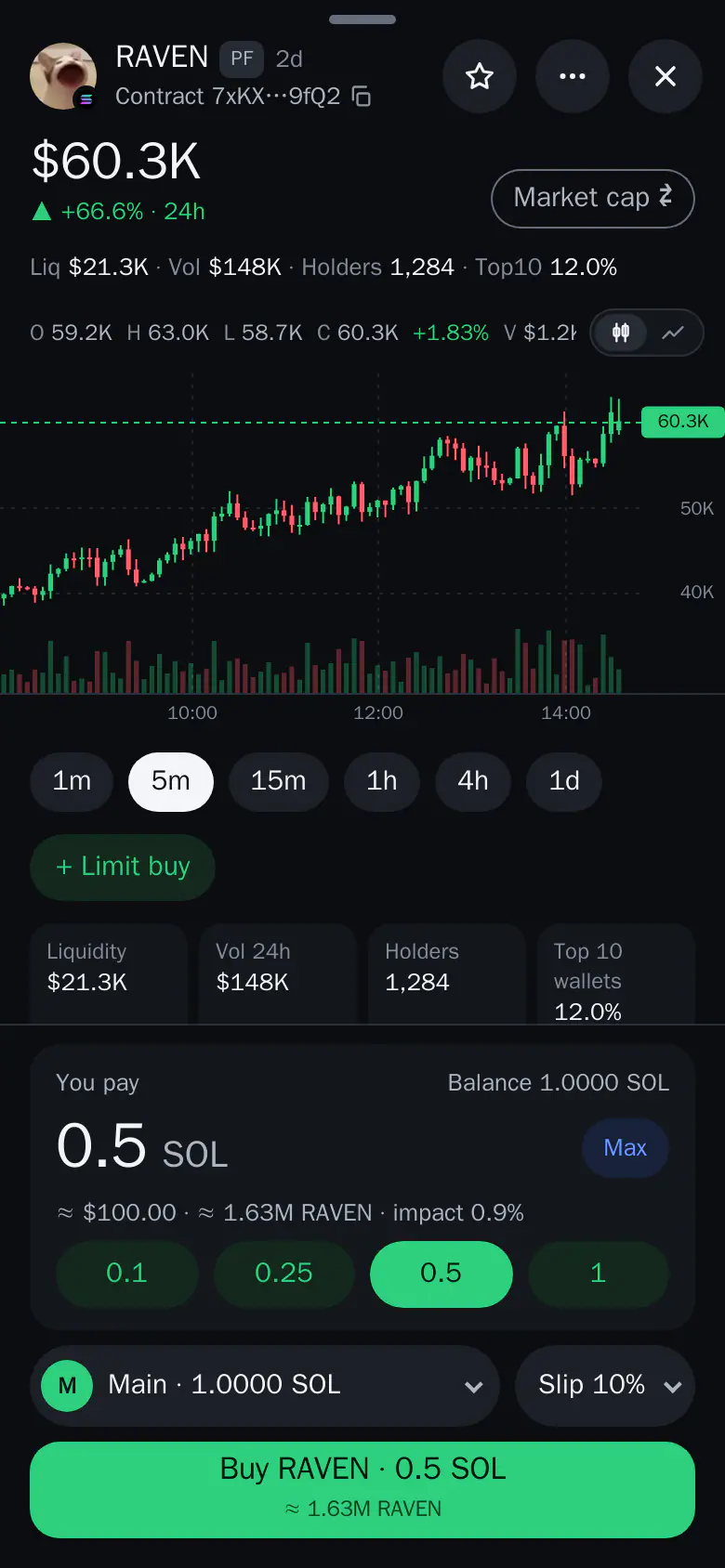
To buy a memecoin in Thor, open its coin sheet, pick an amount and tap Buy. You see the coins you get and the price impact before you confirm.
Where to find it
- Mini App: open the coin from Search, Home > Positions or Trenches. The buy panel is at the bottom of the coin sheet.
- Bot: send a token address. The buy card shows your amount buttons, the
SWAPandBUY WHENtabs andSLIPPAGE.
- Tap a preset amount, or type your own.
- Max spends the most you can after fees.
- Check the wallet and the slippage.
- Tap the green button to buy.
 Thor Trading Bot
 1234
- Max. Fills in the most you can spend after fees, and keeps enough in the wallet to sell later.
- Main. Pick the wallet that pays. It becomes your active wallet. Pick USD Cash to pay in dollars.
- Slip 10%. The most the price may move against you before the buy lands.
- Buy RAVEN. Sends the buy. A toast follows it.
You can type the amount in the chain coin, in dollars or as a % of your balance. Tap the unit to switch.
After you tap Buy
A toast shows the buy sending, then landed. The chart marks it and the form is ready again, so you can buy more or sell. Tap the toast for Details: what you paid and got, your entry and what you now hold. See Trade status.
Options
- Wallet: Pay from any wallet or batch. USD Cash buys on any chain with USDC and no gas coin. A batch buys with several wallets at once, see Batches.
- One tap trading: amount buttons buy straight away. See One tap and Pro Trader.
- Buy protection: if your amount is more than your balance, Thor buys with what you have instead of failing.
- Not enough balance: the message says how much you need and offers Add SOL or Pay with USD Cash.
Fees
Thor's bot fee is 0.5% per buy, or 0% with a subscription. The network cost is shown separately. See Fees.
Tip: Turn on Auto sell once, and every buy gets your take profit and stop loss automatically.

