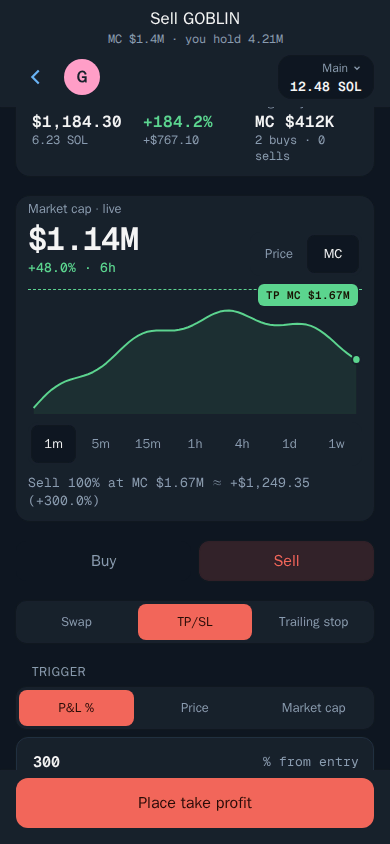
Take profit and stop loss
Let Thor sell for you at your targets.
How to set them
- Open the token and choose Sell, then TP/SL.
- Drag the lines on the chart, or type your targets as a percentage or a price.
- Choose how much to sell at each target.
- Confirm.
How they work
- Take profit sells when the price rises to your target.
- Stop loss sells when the price falls to your limit.
- You can set several levels, for example sell 50% at +100% and the rest at +300%.
Your targets run on Thor's servers, even when Telegram is closed. They show in Limit orders, where you can edit or pause them.
Tip: Want every buy to get the same targets automatically? Use Auto sell.