Auto buy
Buy a token the moment you send its address to the bot chat, with buy ranges and several wallets.
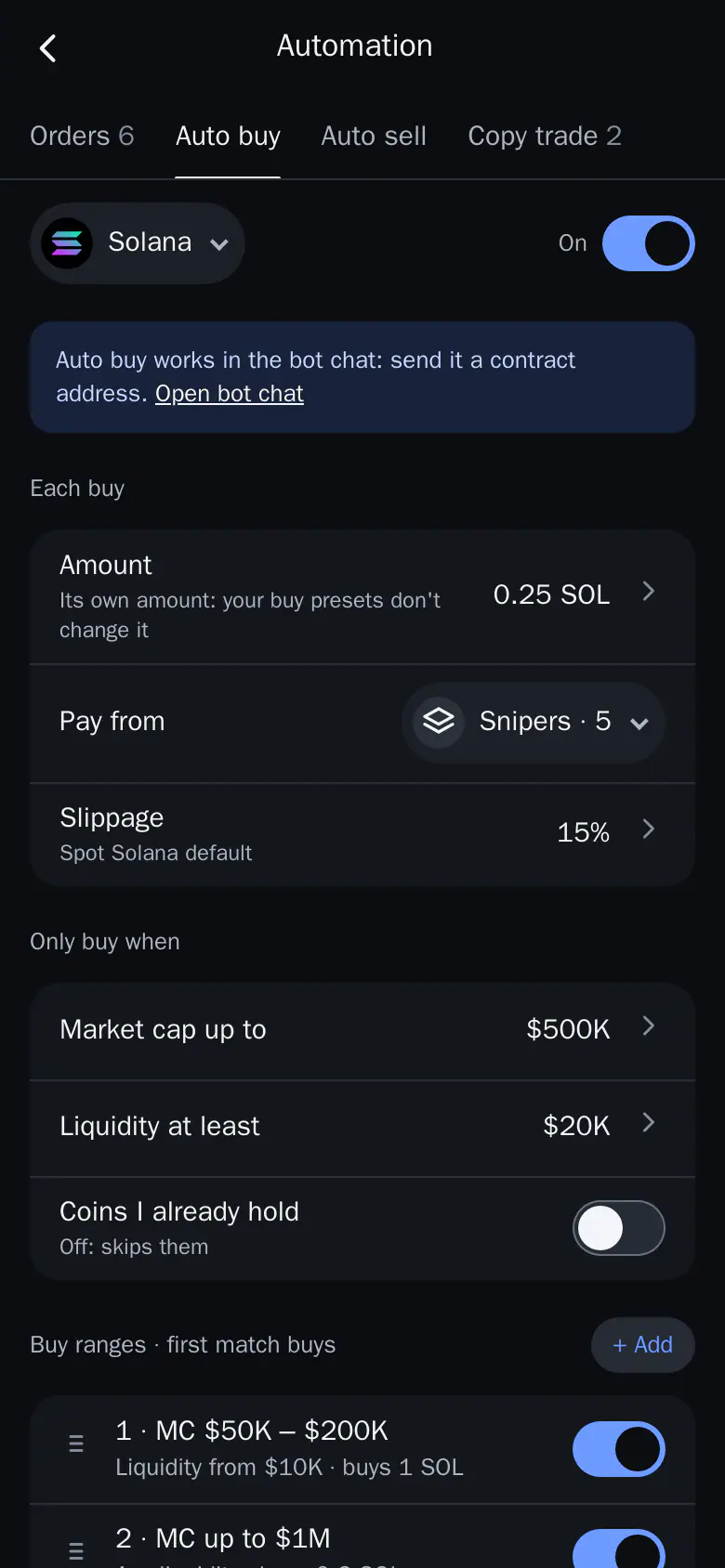
Auto buy buys a token the moment you send or forward its contract address or link (pump.fun, DexScreener or an explorer) in the Thor bot chat. It does not trigger from the Mini App buy screens.
Where to find it
- Mini App: Account → Orders and automation → Auto buy (see Automation hub). The tab has an Open bot chat link.
- Bot: Settings →
⚡ Auto Buy.
How to set it up
- Pick the chain, then turn Auto buy on.
- Set Each buy:
- Amount: SOL or % on Solana, the chain coin on EVM. It has its own amount, your buy presets do not change it;
- Pay from: a wallet, or a batch of wallets;
- Slippage.
- Set Only buy when: Market cap up to, Liquidity at least, and Coins I already hold (off skips tokens already in the wallet).
- Optional, Solana: add Buy ranges with + Add.
- Send or forward a contract address or link in the bot chat. It buys immediately.
Buy ranges (Solana)
Each range has a market-cap span, a liquidity span and an amount, for example market cap $50K to $200K, liquidity from $10K, buys 1 SOL.
- Ranges are checked top to bottom. The first range where both market cap and liquidity fit sets the amount. Drag a range to change the order.
- A range fully covered by one above it is marked Never fires. When you add one like that, Thor says so and offers Put it first.
- Strict ranges on: no matching range, no buy. Off: Thor uses the default amount.
- Try a token: type a market cap and liquidity and see the verdict, for example "Range 2 buys 0.5 SOL".
- Deleting a range shows an Undo toast.
Several wallets (Solana)
Pick several wallets, or a batch, and Thor buys from all of them at once. You get one summary message with a Sell 100% button per wallet and Sell all wallets. On EVM chains Auto buy uses one wallet, which can be USD Cash.
Good to know
- Buy ranges and multi-wallet buys are Solana only. Settings are per chain.
- With Auto buy on, opening a token from Mini App search also buys it with your Auto buy settings. It never runs on the "several chains" picker.
Tip: Pair it with Auto sell, so every auto buy gets take profit and stop loss.