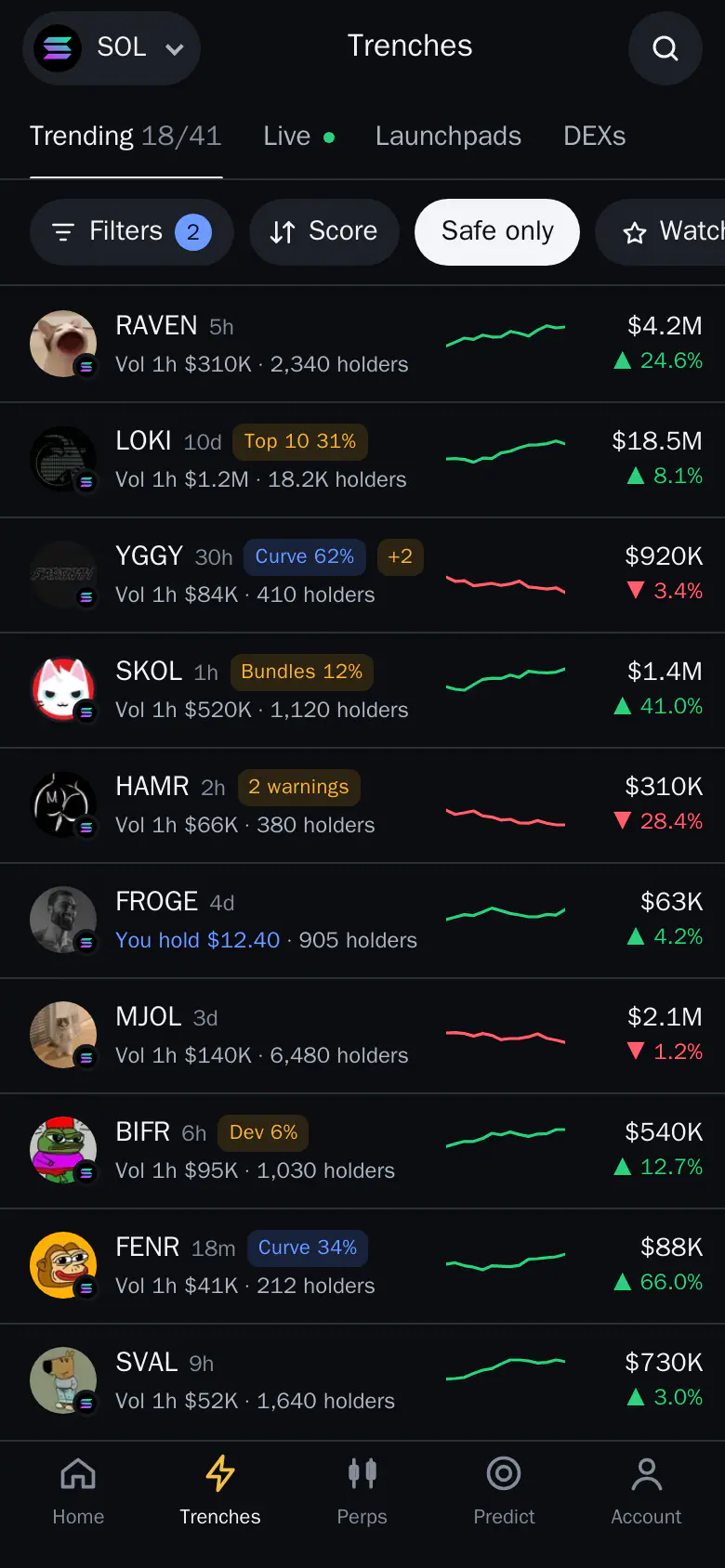
Trenches
Live coins on your chain, scored 0 to 100 with risk flags. Tap a coin to open it and buy from its coin sheet.
Trenches lists live coins on your chain from several market data sources, refreshed every 20 seconds. Each row has a score and a risk flag. To find new memecoins on Solana in Thor, start here.
Where to find it
- Mini App: the Trenches tab. Pick the chain at the top.
- Bot: Trenches, with a Solana list.
How to use it
- Pick a tab: Trending, Live, Launchpads or DEXs.
- Live shows new pump.fun launches on Solana as they happen. Pause stops the list so you can read it.
- Launchpads and DEXs are in DEXs and Launchpads.
- Use the chip row: Filters, Sort and Show only. See Filters and Compare.
- Sort by Best measured (the default), Score, Volume 24h, 1h change, Newest, Liquidity or Holders.
- Tap a coin to open its coin sheet: chart, safety, info and the buy panel.
Each row shows market cap, the 1 hour change, volume, holders, the main risk flag and a 1 hour chart.
Lists never buy. Quick buy and the bubble grid are gone: you always buy from the coin sheet. After you buy you are back on the list, and toasts report each buy.
Reading a coin
- Score 0 to 100 from momentum, buy pressure, liquidity, activity, freshness, holders and safety. The badge says Good at 65 or more, OK at 45 or more, and Low below.
- Bar: buys against sells in the last hour.
- Flags:
- market: Dumping, Thin liquidity, Sell pressure, possible wash trading, Up 100%+ this hour, Strong buying, Fresh launch, Little organic trading;
- holders: Bundled launch, Insiders hold, Top 10 hold, Dev holds;
- token: Mint authority on, Freeze authority on, Rugged;
- promotion: Boosted (paid promotion).
Watch and Hide
Swipe a coin left, or long-press it, for Watch and Hide. A hidden coin leaves the list at once and the toast offers Undo for a few seconds. Hiding never sells or moves a holding.
Note: The lists help you discover coins. They are not advice. A boost is an ad, not a signal. Read Trading safely before you buy.