Troubleshooting
Why a trade, order or send did not go through, and what to do.
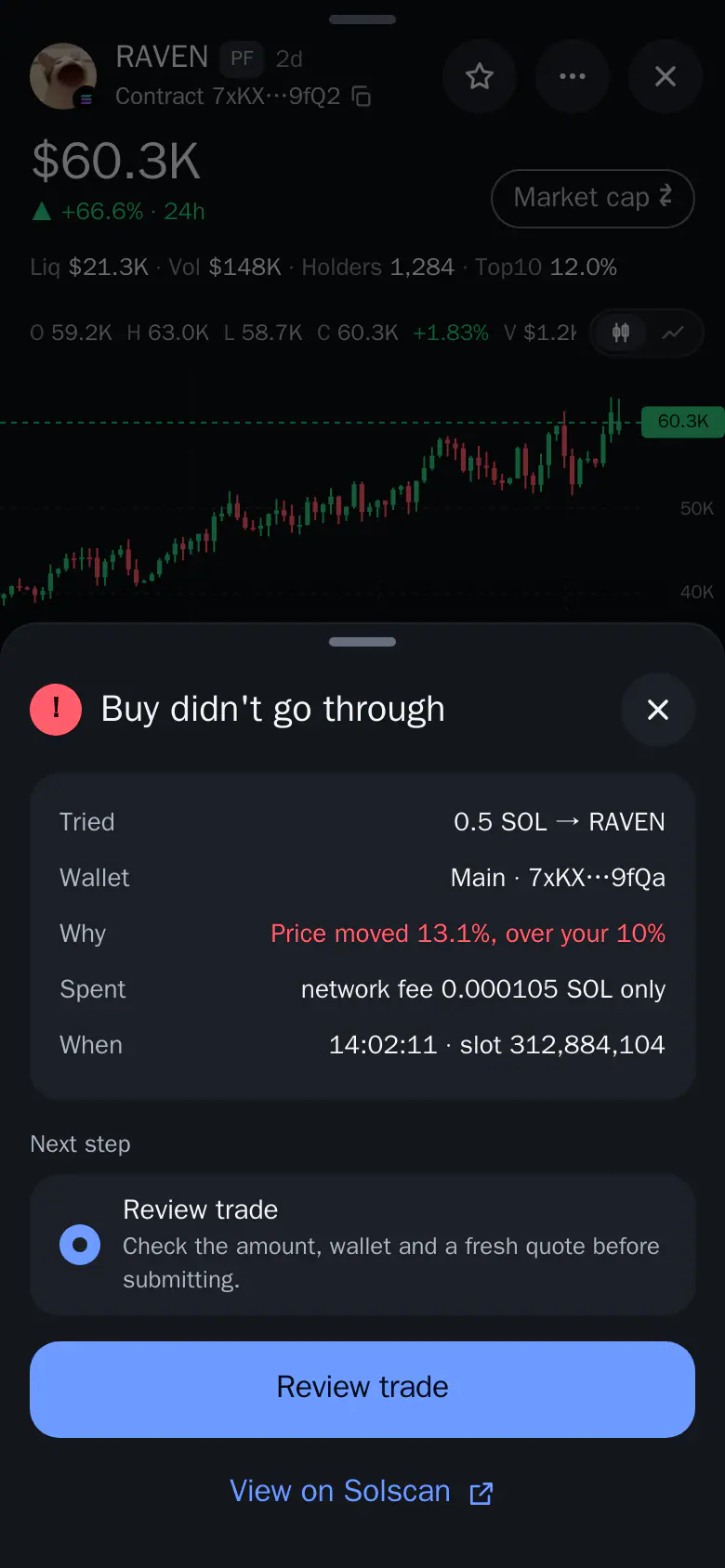
When a trade does not go through, Thor shows a toast and explains why. This page covers the common problems and what to do.
When a trade fails
A red toast stays on screen until you close it. Do one of these:
- Tap Retry to send the same trade again.
- Tap the toast to open Details. It shows what was tried, why it failed and what it cost.
- Follow the next step Details offers, such as Review trade, which reopens the trade with a fresh quote, or Add funds.
The failure is also in Home › Activity. Usually the price moved more than your slippage, or the network was busy. Only the network cost may have been charged.
Common problems
| Problem | What to do |
|---|---|
| "Price moved past your slippage" | Tap Review trade, or raise slippage a little. Defaults live in Account › Trading defaults. |
| "Not enough (coin)" | Tap Add funds, or turn on Buy protection to buy with what you have. For sells, turn on Sell protection. Or trade from USD Cash, which needs no SOL or ETH for gas. |
| Trade is slow | The network is busy. Pick a higher priority fee. You can keep using the app while it lands. |
| High price impact | Your trade is large for this coin. Take the smaller buy Thor suggests. See Protections. |
| Token tax warning | The tax is at or above your slippage, so the trade will most likely fail. Set the slippage above the tax, or skip the token. |
| Scam risk · trade blocked | The token failed a safety check. Thor won't buy it. |
| Some wallets in a batch failed | An amber toast stays until you close it. Open Details and tap Retry failed to resend only those wallets. |
| Deposit not showing | Check you sent on the right network, then wait and pull to refresh. Only send on the supported chains: funds sent on other networks can be lost. |
| PIN locked | After 5 wrong codes your PIN locks for 15 minutes, longer if repeated. |
When an order fails
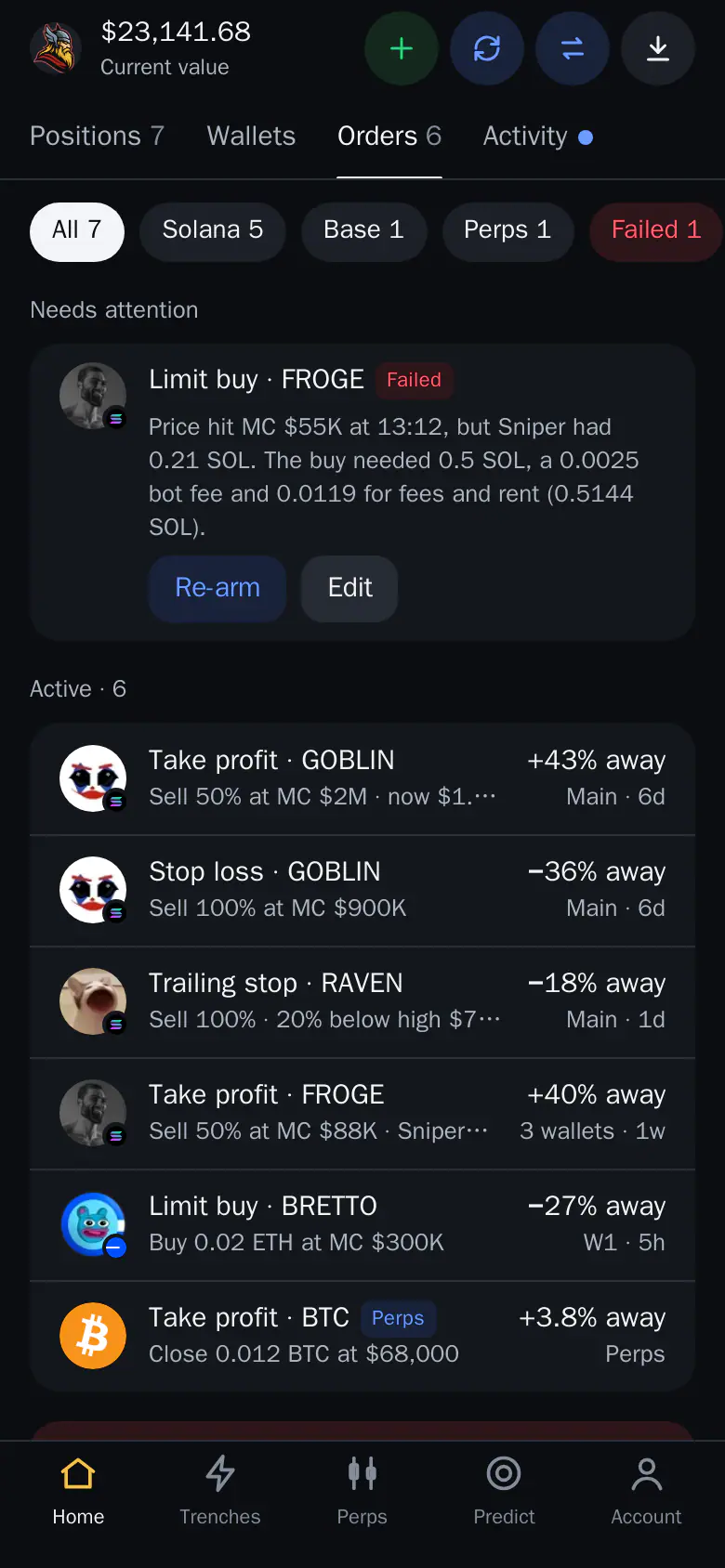
A failed limit buy, take profit or stop loss stays at the top of Home › Orders with the reason and a Failed chip. A red toast tells you when it happens. Open Details, then choose Re-arm, Edit, or Sell now for a failed take profit or stop loss.
If an order did not trigger, check its trigger and that it is not Paused. In very fast moves, prices can skip past a trigger. Expired orders can be cleared with Clean up expired.
Copy trade turned off
A copy trade turns off after 3 buys fail for lack of coins. Top up, then re-enable it in Account › Orders and automation.
Sends and bridges
- A send to another chain is taking long: it keeps going if you close the app. Tap the toast or the Activity row to see its steps.
- "The quote changed. Check it and confirm again.": the quote is checked again when you confirm. Review the new one.
- "Amount is below the minimum": send more than the minimum shown.
Still stuck? See Contact support.