Add cash
Fund your Predict cash from any Thor wallet or USD Cash through the Send screen.
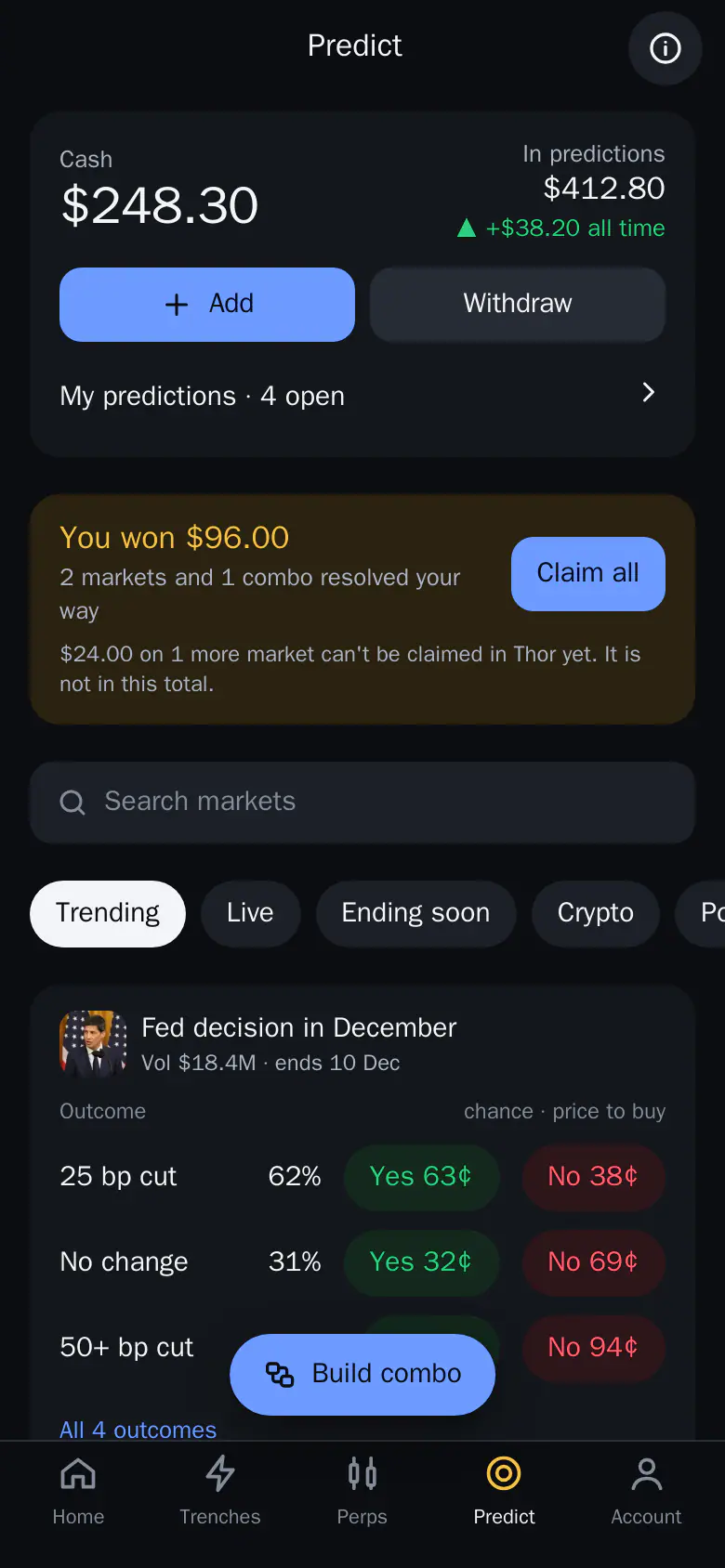
How do you add money to Predict? Tap Add next to your Predict cash. It opens Send with your Predict cash already set as To.
Your Predict cash is USDC on Polygon, "in a wallet that only your Thor account controls".
How to add cash
- Open Predict and tap Add.
- Choose where to pay from: any Thor wallet on any chain, or USD Cash.
- Choose the coin and enter an amount.
- Confirm. Thor asks for your PIN.
There is no Thor fee on Predict deposits. The network cost shows before you send. See USD Cash for Predict and Perps.
From another wallet
You can also deposit from another wallet. Send only what the screen tells you to, and check the minimum first.
Warning: External deposits below the minimum shown on screen "are not credited".
Where Predict is not available
Adding cash is blocked where Predict is not available. Withdrawing always works. See Withdraw cash.
What you see
- Your cash and how much is in open predictions or waiting to claim.
- Rebates: what Polymarket has paid back into your cash. See Your predictions and winnings.