Activity
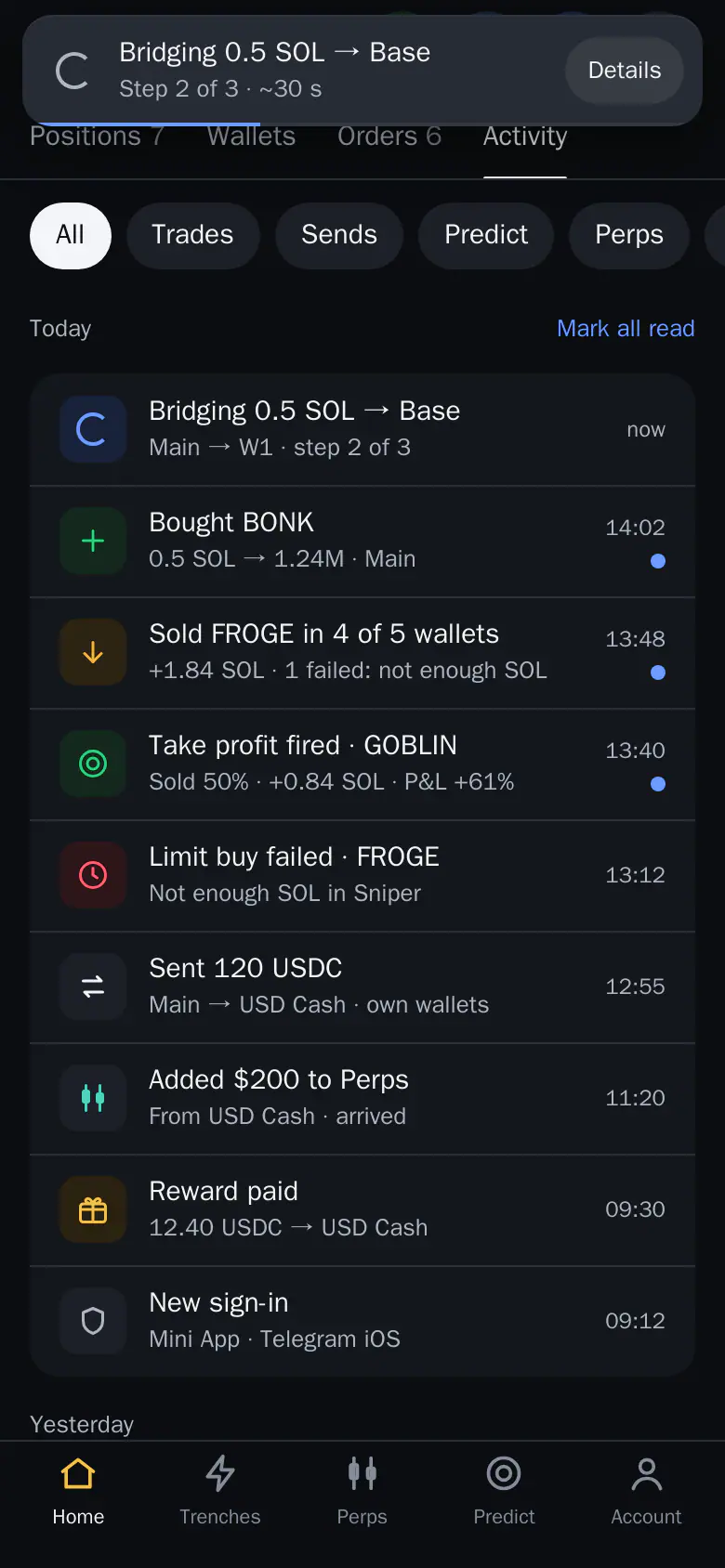
One feed of every trade, send, order and reward on your account, in Home > Activity.
Activity is one timeline of everything that happened on your account: trades, sends, bridges, Perps and Predict, orders that fired or failed, rewards and sign-ins.
Note: Activity is in the Mini App only.
Where to find it
Home → Activity. A dot on the tab means something new.
How to use it
- Use the chips to filter the feed, for example Trades, Orders, Copy, Bridge, Rewards and Security.
- New rows carry a dot until you read them. Tap Mark all read to clear them.
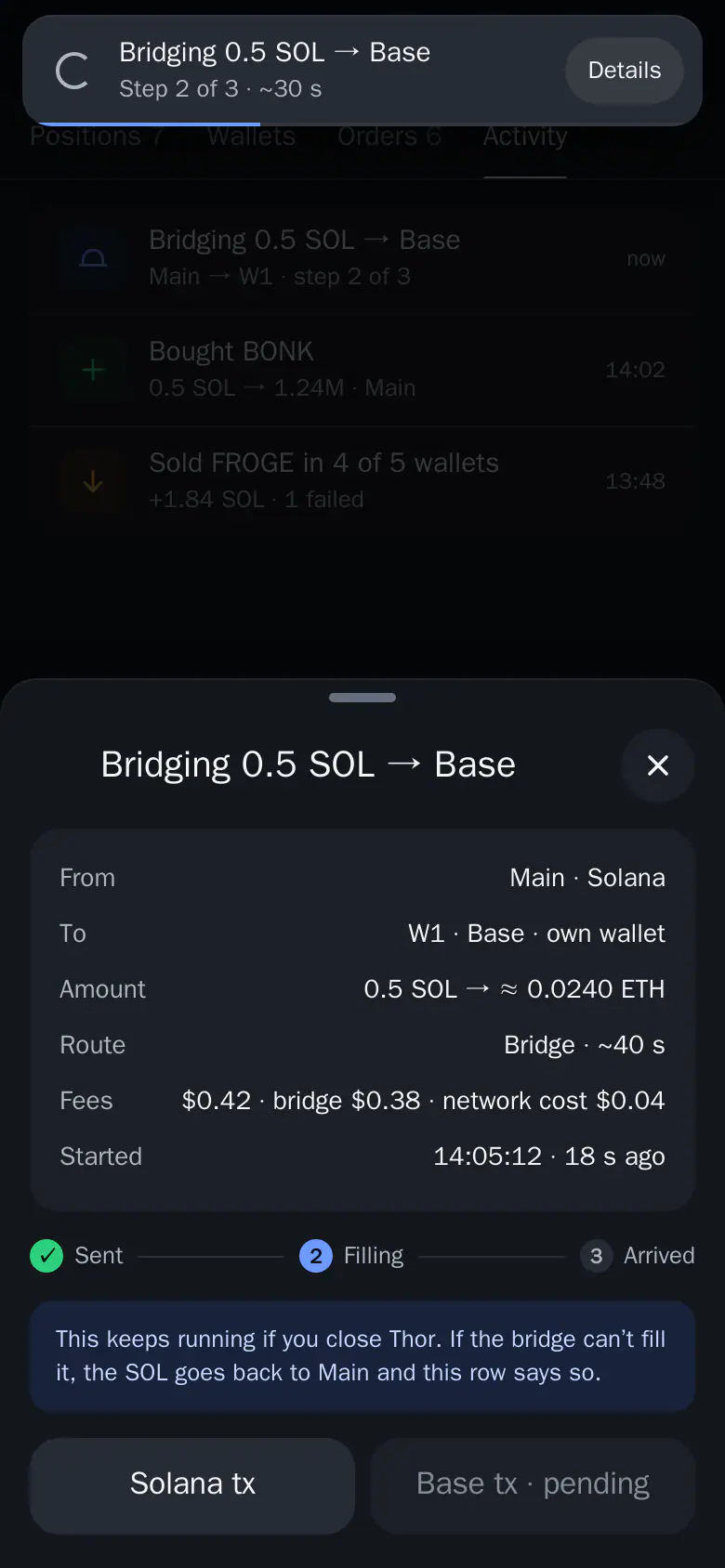
- Tap a row for its details: what you paid and got, fees, and the transaction.
- Something still running, such as a bridge, is both a toast at the top and the first row. Tap Details to see its steps. It keeps running if you close Thor.
Toasts
Every trade and automation event also shows a toast while you are on another screen. A finished buy gives a green toast, and tapping it opens the details. An order that fired shows a green toast with View. A failed one shows a red toast that stays until you act, with Retry or Details.
What you see
Rows such as:
- "Bought BONK", "Sold FROGE in 4 of 5 wallets", "Take profit fired", "Limit buy failed";
- "Copied buy", "Auto buy skipped", "Copy trade turned off";
- "Bridging" and "Sent", "Reward paid";
- "New sign-in", when a new session signs in.
Failed or skipped rows say why, for example "Not enough SOL".
Tip: Check the Security filter now and then. A sign-in you do not recognise means you should open Account → Security and end your other sessions.