Place a prediction
Buy Yes or No from the bet slip at the market price or your own limit price.
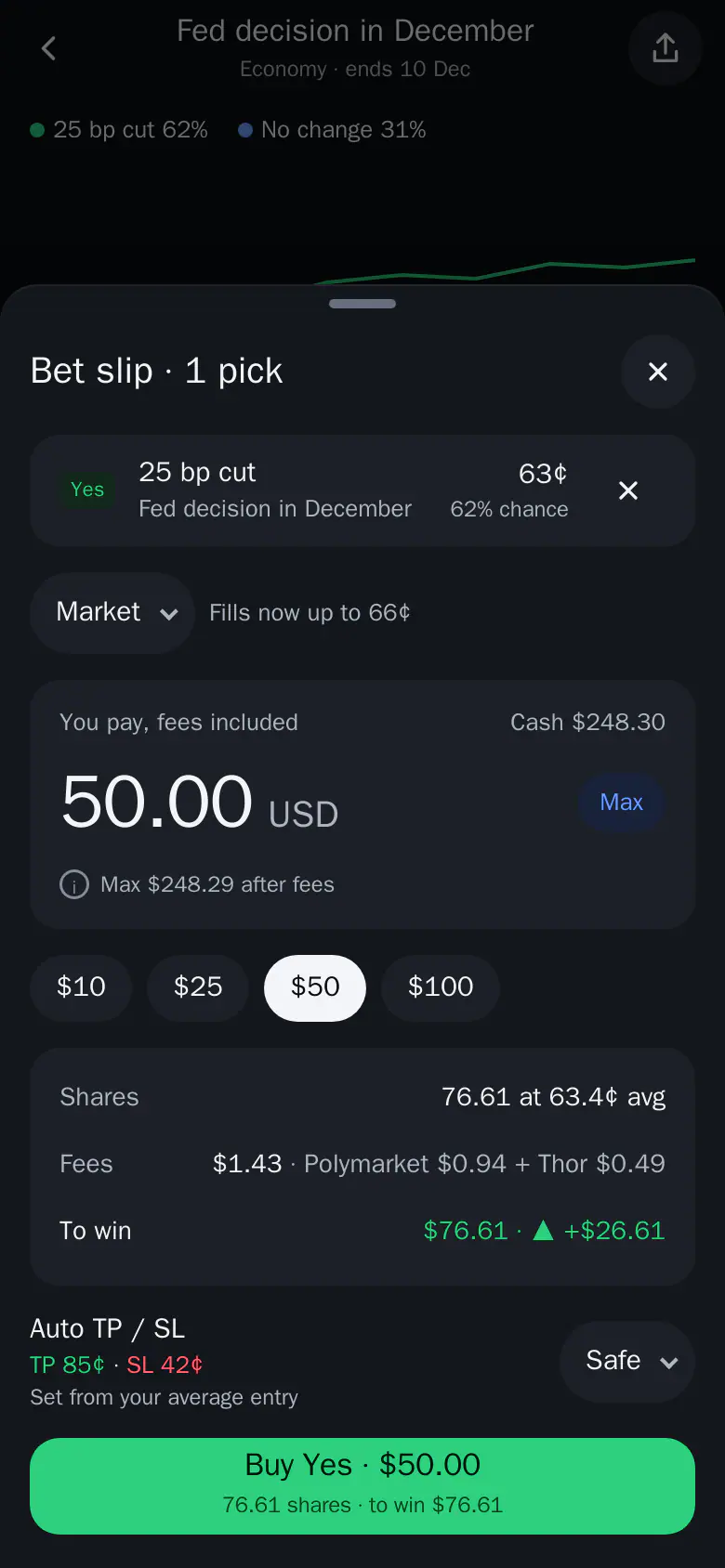
How do you buy Yes or No on Polymarket in Thor? Tap a Yes or No price on an outcome. The bet slip opens with that pick.
- Tap Yes or No on an outcome.
- Choose Market to buy now, or Limit for your own price.
- Enter what you pay, fees included, or tap an amount chip.
- Check the Auto TP / SL row, or pick another preset.
- Tap Buy.
 Thor Trading Bot
 1234
- Market. Buy now, or switch to Limit and set a price in cents.
- Max. The most you can spend after fees.
- $50. Quick amounts. Change them in Account, under Perps and Predict.
- Safe. Auto TP / SL preset. Tap to pick another preset, Custom or Off.
Market and Limit
- Market fills now.
- Limit sets a price in cents. Choose how long it stays open: until cancelled, 1 day or 1 week. It waits under Orders in My predictions.
The slip shows your shares, the fees (Polymarket and Thor) and what you win if you are right. The minimum is 5 shares.
Auto TP / SL
Auto TP / SL applies your default preset to this buy: a take profit and stop loss set from your entry price. See Take profit and stop loss on predictions.
If the order is still being checked
If Polymarket has not answered yet, the slip shows Checking order status... and locks that pick, so you never buy twice.
Sell before the end
The x on a position you hold is a quick Cash out of all shares at market. The full sell slip has Market or Limit. A limit sell waits at your price, for example 80¢, until it fills. If the book is too thin, the slip offers Use limit.
Tip: Your positions show right where you browse, under each market, so you can cash out without opening My predictions.

