The coin sheet
Chart, key numbers, safety, holders, trades and your position for any coin, with Buy and Sell on one sheet.
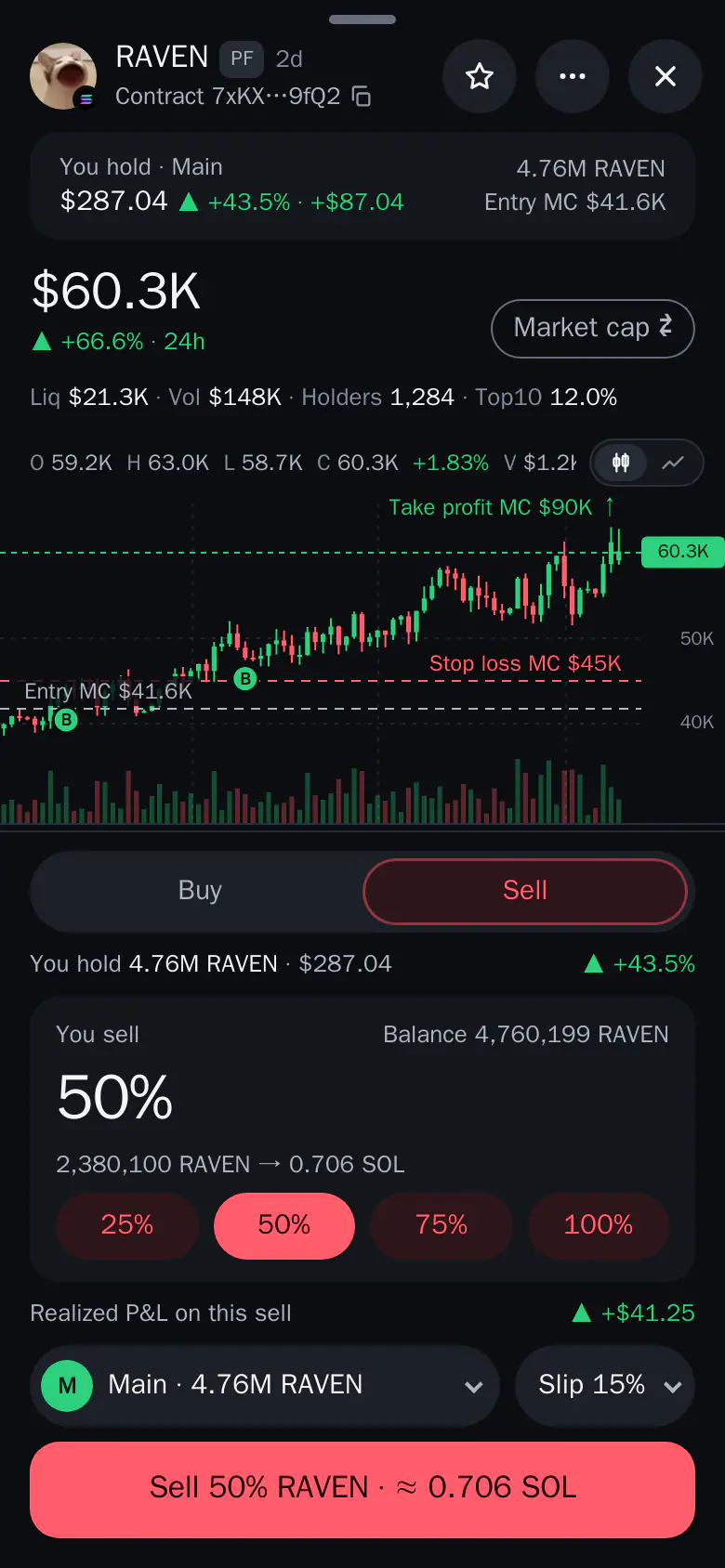
The coin sheet shows everything about a coin before you trade, and replaces the old token page. Open it from Search, from Home > Positions or from Trenches.
Note: The coin sheet is in the Mini App. In the bot, the same coin opens as a buy card with your amount buttons.
What you see
- Market cap and its 24 hour change. Tap the pill to switch to price.
- One line of key numbers: liquidity, volume, holders and top 10 share.
- A candle chart with volume. Pinch to zoom, drag sideways to go back in time, and pick a range from 1m to 1d.
- + Limit buy, the same numbers as tiles, and the Safety row.
- Buy pinned at the bottom. When you hold the coin, the bar opens on Sell.
Tap the contract at the top to copy it. The More button has links and Hide coin.
Info, Holders and Trades
- Info: Market, Activity and About, each one opens and closes.
- Holders: how many hold the coin and how they are spread, with the pool and the bonding curve shown apart from wallets. It also lists the top 10, the dev, bundles and snipers.
- Trades: the latest 50 trades, live on Solana. Filter by buys, sells, large or your own, marked You.
Safety
Tap the Safety row to read every check, worst first. A serious finding turns the row red. See Token security.
Your position
When you hold the coin, a strip on top shows your value and profit or loss. The chart marks your buys (B) and sells (S), your entry and each open order. Tap the strip for the full position: cost with fees, buys and sells, the P&L card, Send, Hide and the coin's orders, all for the wallet you picked.
Trade from here