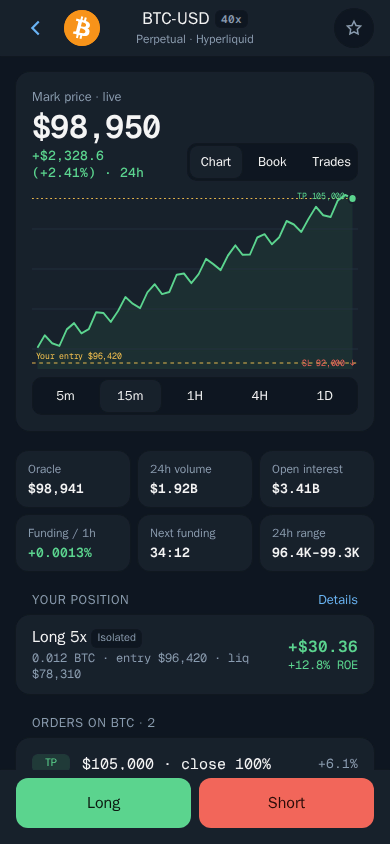
Open a perps trade
Pick a market, side, size and leverage.
How to open a trade
- Open a market, for example BTC.
- Choose Long or Short.
- Set the size with the % chips or your own amount.
- Set the leverage with the slider or chips, up to the market's maximum.
- Choose Isolated or Cross margin.
- Turn on Auto close to add take profit and stop loss.
- Tap Review and confirm.
Words to know
- Isolated — only this position's margin is at risk.
- Cross — your whole perps balance backs the position.
- Auto close — take profit and stop loss set as a % of your margin. They trigger on the mark price and close at market.
- Reduce only — the order can only shrink a position, never add to it.
- Funding — a small payment between longs and shorts, shown on the market.