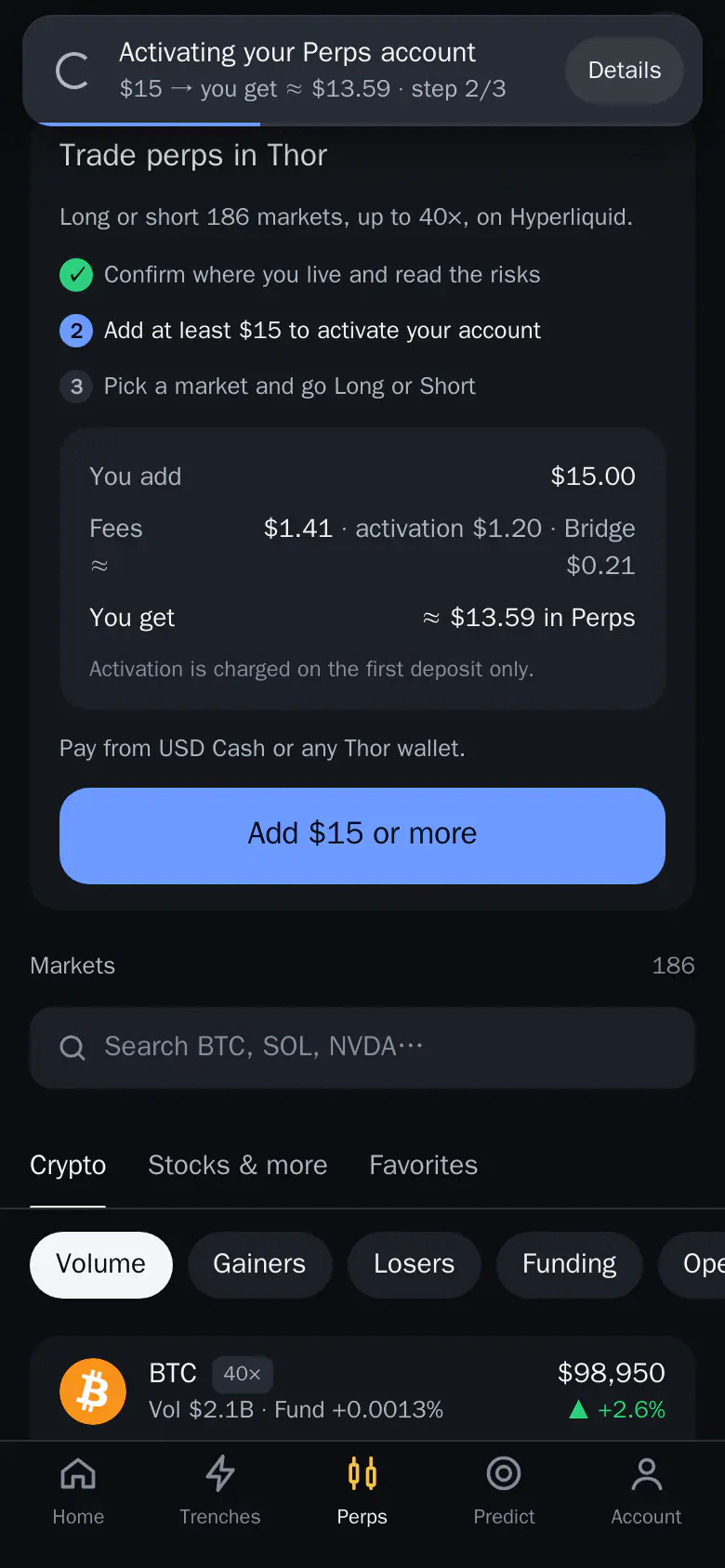
Add funds to Perps
Fund Perps from any Thor wallet or USD Cash through the Send screen.
How do you add money to Perps? Tap Add on the Perps home. It opens Send with your Perps account already set as To.
How to add funds
- Open Perps and tap Add.
- Choose where to pay from: any Thor wallet on any chain, or USD Cash.
- Choose the coin and enter an amount.
- Check the card: what you add, the fees and what lands in Perps.
- Confirm. Thor asks for your PIN.
The deposit runs as a toast at the top of the screen until it lands.
First deposit
- The first deposit needs at least $15.
- It includes a one-time activation of your Perps account.
- Until it lands, the Perps home shows that your deposit is on its way.
From USD Cash
Pick USD Cash as the source. The network cost is paid in USDC, so you need no ETH or SOL for gas. See USD Cash for Predict and Perps.
From your own wallets
On Send you can also pick the Perps tab under My wallets to move money between your wallets and Perps.
Note: Your Perps account belongs to your own EVM wallet. USD Cash only funds it.
To take money out again, see Withdraw from Perps.