Home
Your whole account on one screen, across every wallet and chain.
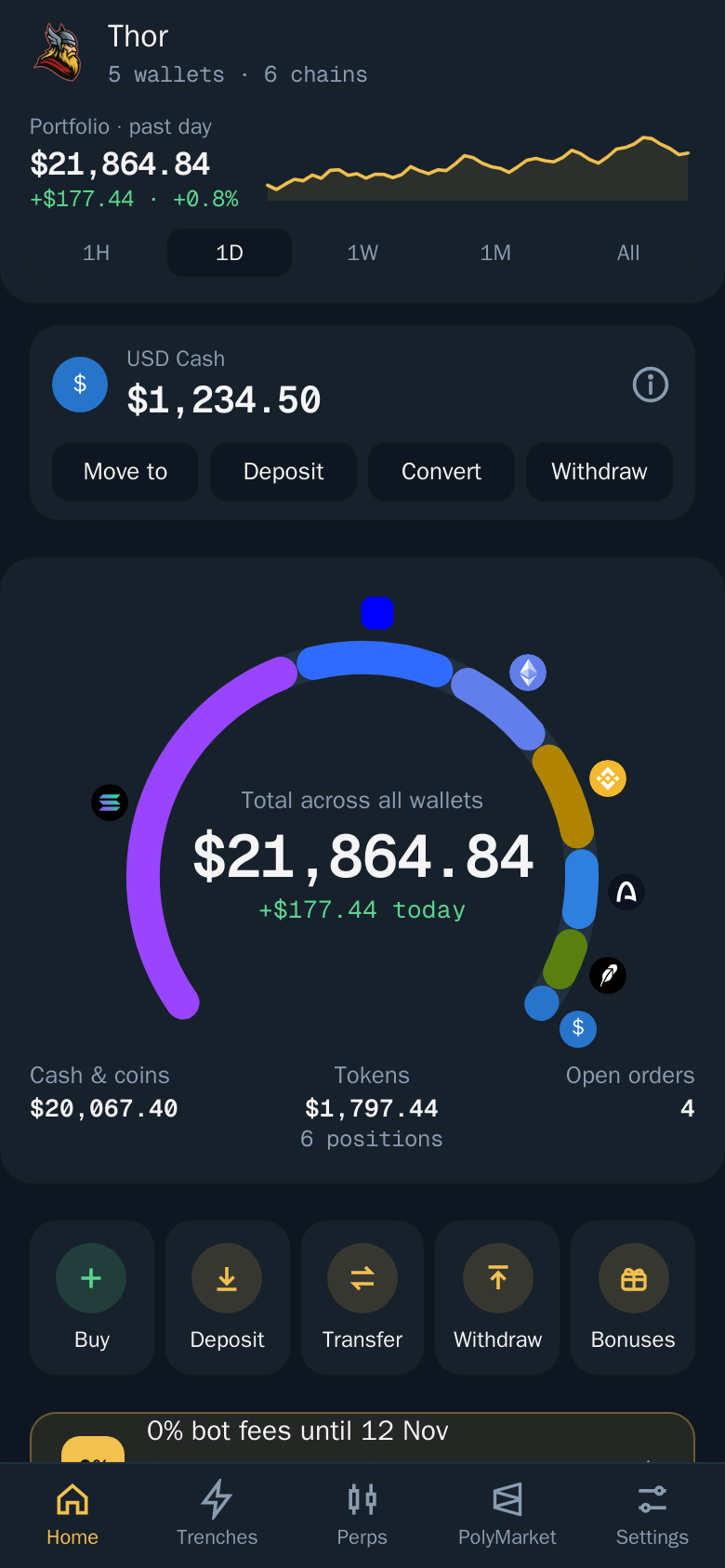
Home is the first tab of the Thor Mini App. It adds up every wallet you hold on Solana and the five EVM chains, plus USD Cash, and shows where your money sits.
Note: Home is in the Mini App only. In the bot, use 🏦 Positions for a summary of your positions.
What you see
- Total across all wallets, with how much it changed today.
- The Funds by chain arc. Each chain has its own segment. Tap a chain to open its wallets and positions.
- A P&L chart for the past hour, day, week, month or since your first trade. Drag along the line to inspect a point.
- What the total holds, split into Cash & coins, Tokens and Perps & PolyMarket.
- Top positions, Open orders and Claim all bonuses.
- The USD Cash | Wallets tabs, and a banner such as "0% bot fees until 12 Nov" while a subscription is active.
Pull down to refresh.
Quick actions
Home has a row of shortcuts: Deposit, Withdraw, Transfer, Bridge, Batch transfer and Add wallet.
A chain's panel also has its own buttons, so you can Transfer, Withdraw or Bridge from a specific wallet without leaving Home. When a chain has several wallets, its panel shows Batch transfer to move funds from all of them in one go. See Batch.
The USD Cash card
When you hold USD Cash, its card shows your dollar balance with Move to, Deposit, Convert and Withdraw. Tap the ⓘ for a short explanation of how USD Cash works. See USD Cash.
Related
- Portfolio and positions for the full list of what you hold.
- Claim all bonuses for rewards on every chain in one go.