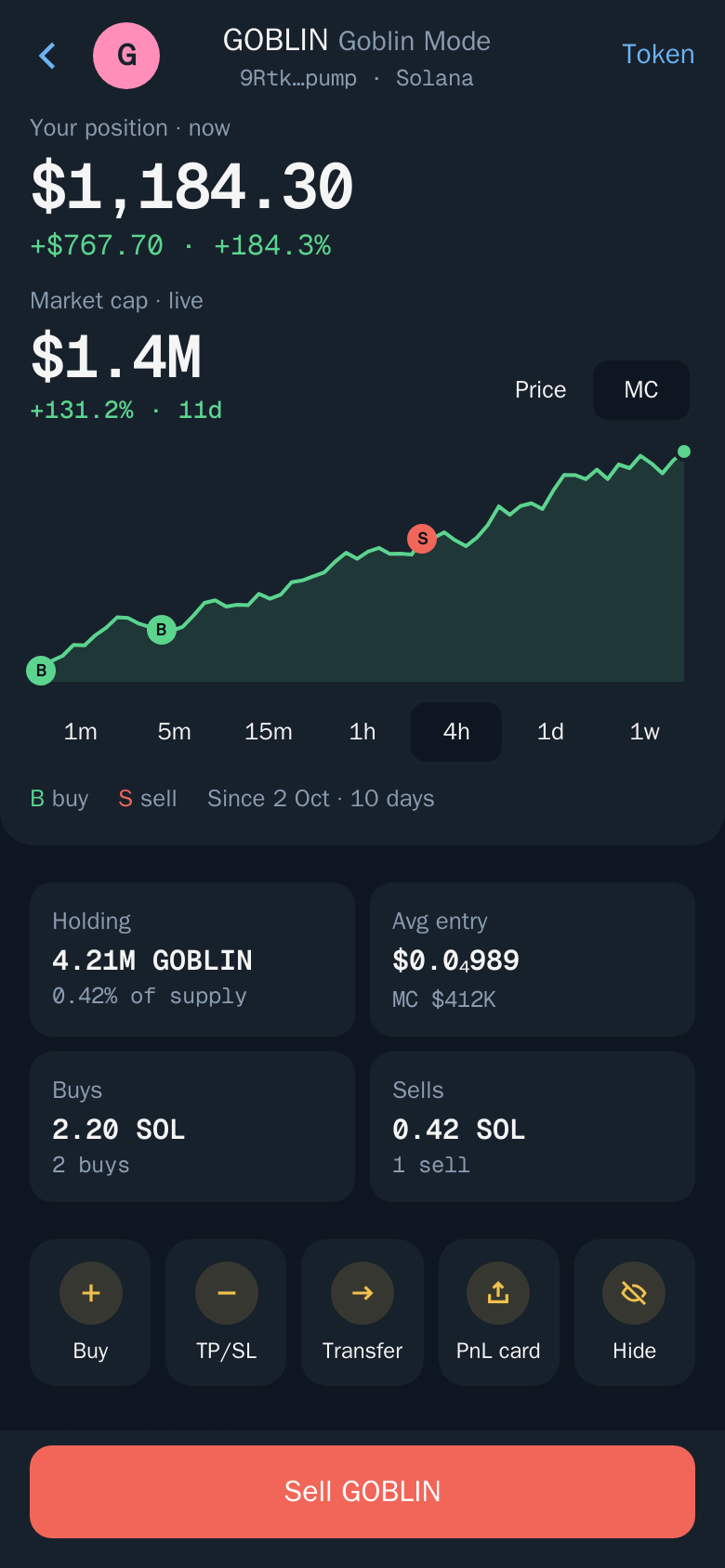
Position screen
Everything about one position, and the actions you can take on it.
Tap any row in Portfolio to open its position screen.
Note: The position screen is in the Mini App only. In the bot, each position in 🏦 Positions has its own buttons.
What you see
- Your position now, in dollars, with your profit or loss.
- Holding: how many tokens you hold and what share of the supply that is.
- Avg entry, as a price or market cap.
- Buys and Sells: how much you spent and took out.
- A live chart with markers for each of your buys (B) and sells (S).
- Orders on this token, such as take profit and stop loss.
Actions
| Action | What it does |
|---|---|
| Buy | Buy more of the token |
| TP/SL | Add a take profit, stop loss or trailing stop. See Take profit and stop loss |
| Transfer | Send the token from this position's wallet. See Transfer |
| PnL card | Make a shareable image of the result. See PnL cards |
| Hide / Unhide | Take it out of Portfolio and your totals. See Hidden tokens |
| Sell | Sell part or all of it |
How P&L is counted
- An open position's P&L is what you have already realised by selling plus the unrealised gain or loss on what you still hold.
- A closed position shows "Closed · realized" and counts realised P&L only.