Perps order types
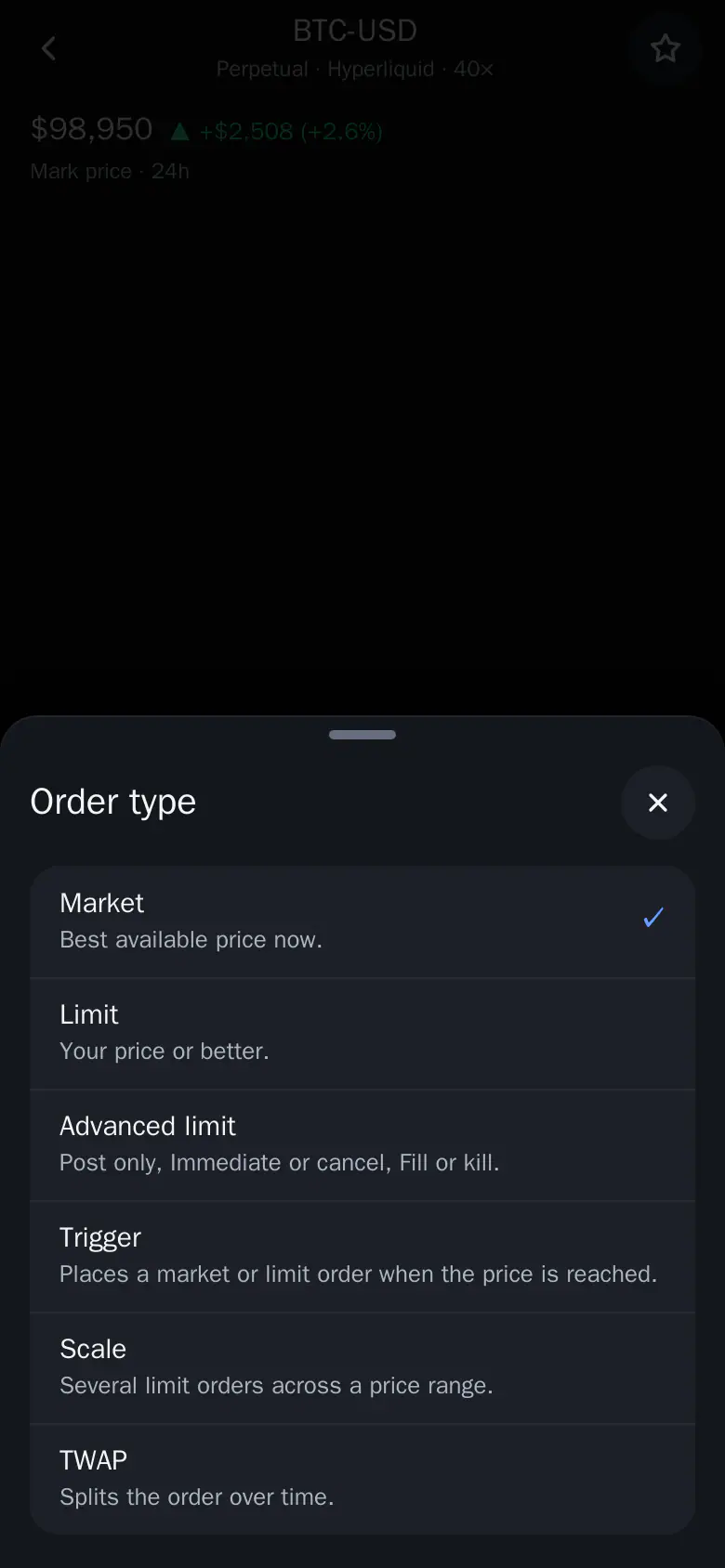
Market, Limit, Advanced limit, Trigger, Scale and TWAP, and what each one does.
Which order types can you use for perps? Six, all from the same order sheet. Tap the order type pill at the top of the sheet and pick one. Its fields open right in the sheet.
| Type | What it does |
|---|---|
| Market | Fills now at the best price, within your max slippage. |
| Limit | Waits at your price. Chips: Mid, or 0.5 / 1 / 2% from mid. The label shows how far it is from mid and warns if it would fill at once. |
| Advanced limit | Post only only adds to the book and never fills at once. Immediate or cancel fills what it can now and cancels the rest. Fill or kill is all now or nothing. |
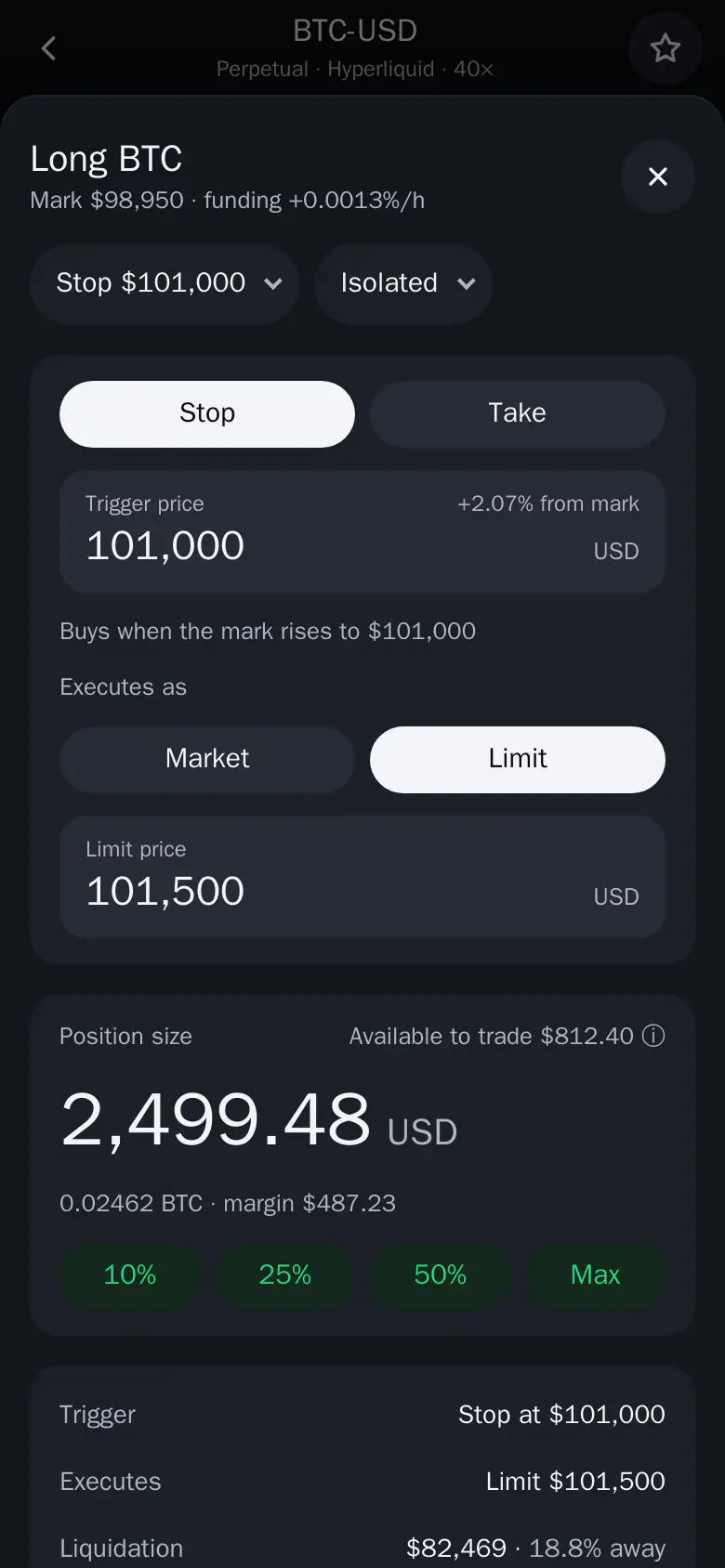
| Trigger | Stop or Take at a trigger price on the mark, for example "Buys when the mark rises to $101,000". Then it runs as Market or Limit. A trigger on the wrong side of the mark is flagged before you place it. |
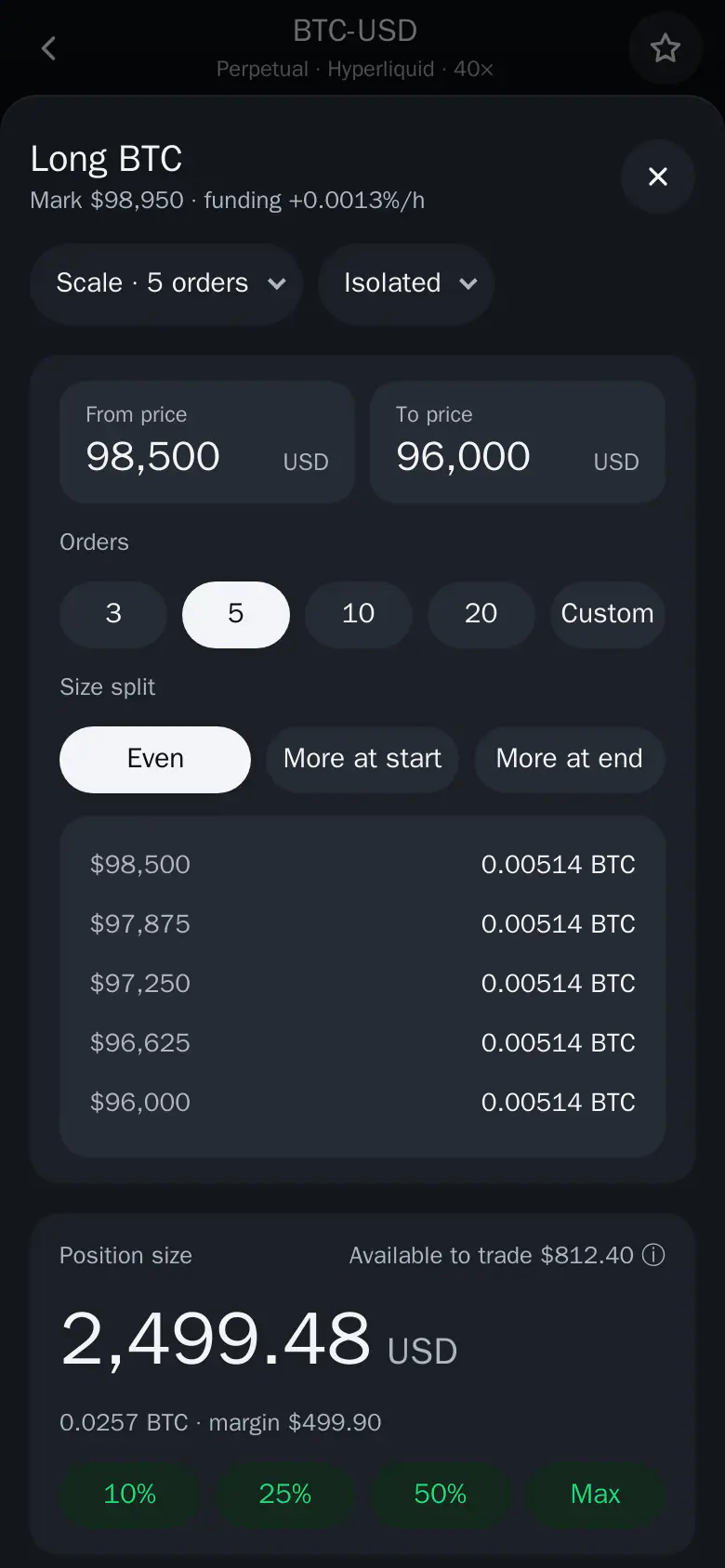
| Scale | Spreads the size over 2 to 50 limit orders between two prices: Even, More at start or More at end. Every order is listed before you place it. |
| TWAP | Buys or sells in slices every 30 seconds over 5 minutes to 24 hours, optionally at random sizes. Perps activity shows its progress, average price and Cancel. |
Good to know
- Reduce only is available on every type.
- Scale and TWAP have no TP/SL.
- Each Scale order must clear the minimum order size.
- Fill or kill is best effort: a partial fill is still possible.
- TWAP orders carry no Thor fee. Other orders pay 0.05% to Thor on top of Hyperliquid's fee.
See Open a perps trade for the full order sheet and Perps activity to follow or cancel running orders.